Monday, October 19, 2009

Unable to find main dictionary. Could not start speller. Solution!

Here are some reasons why you get the message “Unable to find main dictionary. Could not start speller.” or “unable to find main dictionary could not start spelling” in AutoCAD (or vertical) or AutoCAD LT when you try to add or change text or make a spell check.

You have deleted some DCT files in your support folder and might need to restore them from the CD/DVD alternatively make a repair of the installation.

Make sure to install dictionaries as feature if you select a custom installation. Even if you don't need multi-language dictionaries you will get an annoying error message every time you want to create or edit text. "AutoCAD Message - Unable to find main dictionary. Could not start speller."

If AutoCAD is already installed use Windows Control Panel>Programs and Features and find the AutoCAD installation and select Change or “Add or Remove Features” and make sure "Dictionaries" is un-checked and proceed with the update of the program.

You might have deleted the path to the location of the DCT files in OPTIONS. You can check that you have the path to where the DCT file are among the paths in OPTIONS>Files>Support File Search Path. If it is not there add it and restart the application. Another way is to restore the profile but then you might loose a lot of your settings that you have customized.

Here are some of the DCT files that comes with AutoCAD:
cat.dct
csy.dct
dan.dct
dan2.dct
deu.dct
deu2.dct
deuo2.dct
enc.dct
enc2.dct
eng.dct
eng2.dct
enu.dct
enu2.dct
esp.dct
esp2.dct
fin.dct
fin2.dct
fra.dct
fra2.dct
ita.dct
ita2.dct
nld.dct
nld2.dct
nor.dct
nor2.dct
ptb.dct
ptb2.dct
ptg.dct
ptg2.dct
rus.dct
sve.dct
sve2.dct

This post was made thanks to an email question I got on this problem and I wanted to give the solution to others that might run into this.

DST editor – SSM editor without need for AutoCAD

I make this blog post to make it easier for users that search for a DST editor as I heard from one that eventually found SSMPropEditor that he had searched for a DST file editor for quite a while. SSMPropEditor can edit DST files without having AutoCAD installed.

Edit properties on multiple sheets belonging to AutoCAD's Sheet Set Manager (SSM) or AutoCAD Architecture's Project Navigator (PN) Sheet Set View with ease. If you want to change properties like a revision, date or name on two or more sheets at the same time SSMPropEditor is for you. Your productivity will increase and you will save time avoiding a lot of manual work.

Sheet Set Properties, Sheet Set Custom Properties, Sheet Properties and Sheet Custom Properties can be edited. If editing of more within the DST is needed we also have a DST to XML converter that makes it possible to edit everything and then convert back to DST.

Contact us to get a time limited license file for free.

AecAnnoScheduleTagAdd and AutoLISP

Here is a solution I wanted to share on how to use AecAnnoScheduleTagAdd in AutoLISP.

The thing is that it's a point that the command expects.
"Expects a point or Symbol/Leader/Dimstyle/Edit/Constrain"

To get a point on the selected object you can use (cdr (assoc 10 (entget(entlast))))

Example:
(command "._AecAnnoScheduleTagAdd"
  "C:/mypath/Schedule Tables (Metric).dwg"
  "_symbol"
  "M_Aec_Room_Tag"
  "_edit"
  "_n"
  (cdr (assoc 10 (entget(entlast))))
  "_c"
  ""
)

Thursday, October 15, 2009

ACA_db 3.0 released with 2-way sync between AutoCAD Architecture and database

ACA_db helps to make use of AutoCAD Architecture or AutoCAD MEP more fully in your BIM process. Property Set values can automatically be updated back and forth to one or many external databases. If you make changes to the Extended Data values within a Property Set they can be synchronized back to the external database. Any Property in a Property Set Definition (PSD) can be exported and all editable Properties can be imported.

Synchronization between database and CAD

Contact us to get a time limited license file for free.

Blog Action Day 09: Climate Change – what can be done

Today is Blog Action Day 2009 so it’s a good day to consider the theme Climate Change and what can be done to be more environmentally friendly.

Here is a study Microsoft did on the environmental benefits to provide software to consumers online instead of shipping DVD’s.
The study concluded that downloading Office 2007 avoided 8 times the amount of carbon emissions compared to producing and shipping a DVD and its associated packaging through traditional retail distribution channels.
The study determined that carbon emissions avoided through online purchasing of 10 million copies is equivalent to:
  • the electric consumption of 7,715 US households, or
  • 13,008 passengers cars driven in one year, or
  • 231 acres of avoided Amazon rainforest deforestation.
Software Downloads Help Microsoft and Customers Reduce Carbon Footprint
At JTB World we only provide our software electronically via download or email.
In the summer of 2007, sea ice was roughly 39% below the summer average for 1979-2000, a loss of area equal to nearly five United Kingdoms. Many scientists now believe the Arctic will be completely ice free in the summertime between 2011 and 2015, some 80 years ahead of what scientists had predicted just a few years ago. Read more about highest safe level of CO2 to 350 parts per million.
1979 vs 2007
In 2009 the sea ice was
1979 vs 2009 
This is what it looked like in September 2009. Via NSIDC that has a lot more info.

A pair of German merchant ships traverse the fabled Northeast Passage. Ironically melting of the Arctic can help to lower fuel usage and carbon emissions for some ships.  Read more.

Sustainable design and building, green building, LEED, are things that will help.
Autodesk’s sustainability site and guide to sustainable design.
Yesterday I was reading about a house that produces more energy than it consumes. The article is in Swedish though. Three layers of insulation on the walls and two layers on the roof.


Tuesday, October 13, 2009

FlexNet hotfix from Autodesk solving side-by-side licensing problem

This hotfix repairs a problem that occurs during the side-by-side installation of two different licensing products. During the installation of stand-alone licensing products with previously installed network licensing products, an error occurs indicating that the installation failed.

Knowledge Base document: FLEXnet Licensing Side-by-Side Hotfix

Monday, October 12, 2009

FlexNet downloads for lmadmin, lmgrd, lmutil, lmtools

The latest version is 11.7 of the FlexNet (FLEXlm) executables lmgrd.exe, lmutil.exe, lmtools.exe and lmadmin.

COMPATIBILITY: The version of the license server manager must be greater than or equal to the version of FlexNet Publisher used in the application/application's vendor daemon (for Autodesk it is adskflex.exe). You can always use the latest license server manager and utilities; they will be backward-compatible with your application and its license file.

Download them here and select your Operating System. Normally updating is not needed unless your application vendor requires it. But if you experience problems in some way, then it can be a good idea to see if it helps with the latest version.

To upgrade. Take backup of the old exe files. Stop the license service(s). Replace the exe files. Start the license service(s). This can in most cases be done even during daytime and the users will not notice anything but it is usually best to wait until there are few users having licenses in use.

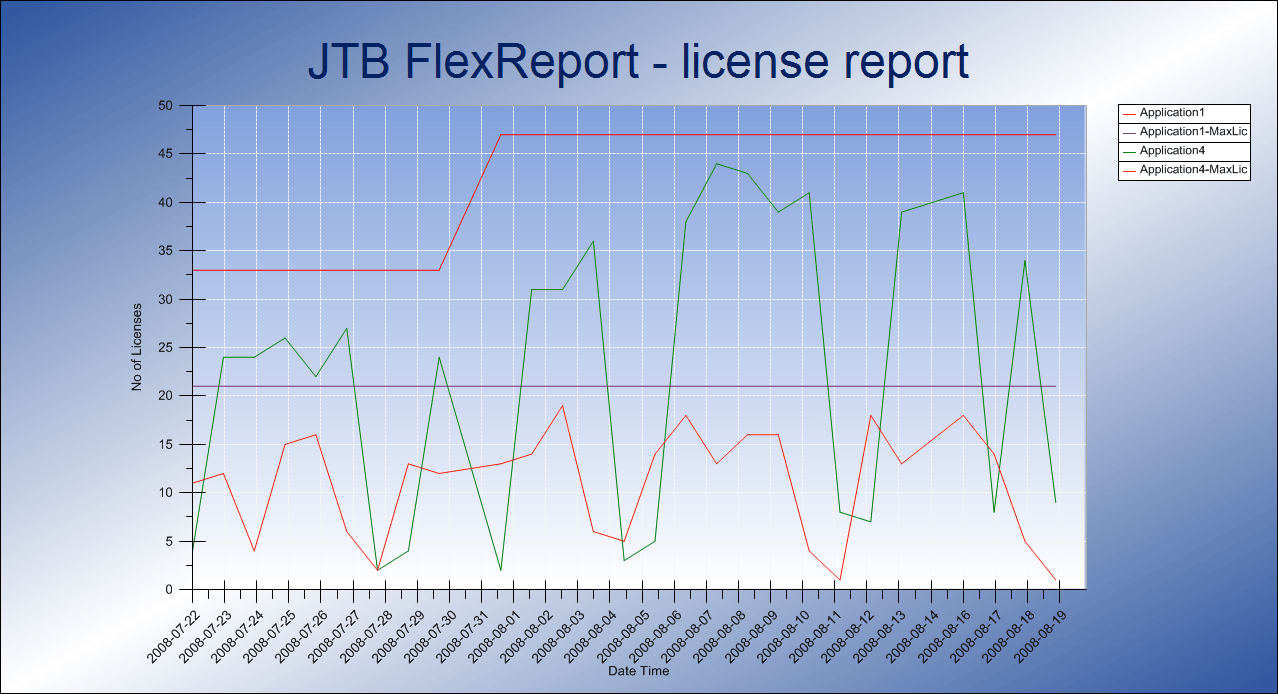
For license usage reports of FLEX enabled software and other software both network licensed and single licensed use JTB FlexReport.

Flexera Software was formerly Acresso Software was formerly Macrovision.

Flexera Software was Acresso Software was Macrovision was GLOBEtrotter

Under a legal threat from another software firm (ERP software maker Agresso Software) with a similar name, Acresso Software Inc. is changing its name to Flexera Software after just 19 months.

I actually thought about this similarity when I heard about the new name Acresso the first time so it is no big surprise considering that Agresso is such a larger company too the smaller Acresso don’t want to go into that fight.

Flexera Software sells software such as its installation utility  InstallShield, and software license manager FlexNet Manager and FlexNet Publisher (FlexNet/FLEXlm), to software vendors and enterprises.

Notice also the change from FLEXnet Publisher to FlexNet Publisher. This indicates we should start to use FlexNet now instead of FLEXnet when we refer to the software that are FLEX enabled like AutoCAD.

Via Computerworld

PS. For an alternative to FlexNet Manager take a look at JTB FlexReport.

Sunday, October 11, 2009

Reboot networked computers remotely

Here is how to reboot computers in a network without having to go physically to it.

Using any of these methods:

  • shutdown.exe -r -m \\computername -t 0
  • Microsoft's PsExec program
  • MASS-REBOOT:  A stand-alone "network reboot" utility from CodePlex's Darrell Elmore that makes this process much, easier! MassReboot allows IT Administrators to remotely reboot and monitors multiple systems at one time, along with the systems' status.  (NOTE: MassReboot must be launched as "Run as Administrator")

Thanks to The Road to Know Where

Saturday, October 10, 2009

Solution to registering of DLL problem on 64-bit systems

I was preparing installers for DWG Explorer Column Handler (DWG Columns) when I run into problem with the 64-bit versions for Vista and Windows 7. I used Visual Studio 2008, a C++ project and a basic setup project with a couple of custom actions to register and unregister a DLL file. The 32-bit setup worked without problems.

I first got the following error on Vista 64-bit and Windows 7 64-bit.

Error 1723. There is a problem with this Windows Installer package.
A DLL required for this install to complete could not be run. Contact your support personnel or package vendor.
Action _474A8F1D_82B8_4FC0_8E65_22E8CDBD2B7B, entry: _InstallPropertySchema@4, library:
C:\Program Files\JTB World\DWG Explorer Column Handler\DWGPropertyHandler.dll

After trying to create the setup directly on a 64-bit system I was able to install but the uninstall failed like this.

Error 1723. There is a problem with this Windows Installer package.
A DLL required for this install to complete could not be run. Contact your support personnel or package vendor.
Action _8B4F6610_75E7_462C_AB3D_BDC92ECCF640, entry: _UninstallPropertySchema@4, library:
C:\Program Files\JTB World\DWG Explorer Column Handler\DWGPropertyHandler.dll

I first figured out that I could edit the MSI file with Orca. In the table CustomAction I found the Actions I needed to change.

was changed to

This worked good but needed to be done manually each time.

I then tried to use a trick to change how the DLL is built so it will use the correct name. I tried with the following link step in
Visual Studio>Project Properties>Linker properties>Command Line>Additional options

/export:_InstallPropertySchema@4=InstallPropertySchema /export:_UninstallPropertySchema@4=UninstallPropertySchema

And that worked just great. Now I have installers working for XP, Vista, Windows 7 and both 32-bit and 64-bit.

Monday, October 5, 2009

Autodesk network licenses and adskflex.exe for Linux

I found this discussion thread interesting as it seems like there now is a version of adskflex.exe available for Linux but it requires you have Maya 2010. It would be good if Autodesk made this available directly from their website as well.

Even though JTB FlexReport still needs Windows to be installed on it can report FLEXnet/FLEXlm usage from other operating systems like Linux, Solaris Sparc, etc.

Update: Download available from DL16273721

Autodesk IPv4 Network License Manager for Linux 32-bit and Linux 64-bit

The Autodesk Network License Manager for IPv4 networks using Linux® 32-bit or 64-bit Red Hat® Enterprise Linux 5.0 WS (U4). Please refer to the appropriate readme file for installation instructions.

SPLM usage monitoring added to JTB FlexReport 5.1.2

SPLM license reporting (Intergraph SmartPlant License Manager) is now supported in JTB FlexReport. Core JTB FlexReport is the same as in 5.1.0 as the SPLM support are added with two separate installers. Contact us if you would like more details, a trial or purchase.

Thursday, October 1, 2009

JTB Process Monitor updated to solve a couple of bugs

JTB Process Monitor that is a module for JTB FlexReport is updated and if you have JTB Process Monitor you should install this update.

With JTB Process Monitor standalone application can be monitored and the usage can be reported with JTB FlexReport.

JTBProcessServiceSetup.zip is updated to version 1.0.2 to fix some issues that made reports failing as well as a problem on 64-bit systems. Only this installer is updated. Uninstall previous version first.

The complete JTB FlexReport suite is updated to version 5.1.1 with this update.

Some of the latest blog posts

Subscribe to RSS headline updates from:
Powered by FeedBurner

Contact Us | About JTB World | Website General Terms of Use | Privacy Policy
^ Top of page

© 2004- JTB World. All rights reserved.