Showing posts with label IT. Show all posts

Monday, April 14, 2025

JTB FlexReport 2025.4.0 - FlexNet performance and Active Directory/LDAP support

JTB FlexReport 2025.4.0 is now ready.

  • JTB FlexReport Core JTB FlexReport Core 2025.4.0 Setup.zip
    • Added support for parallel processing of FlexNet servers improving the overall snapshot time and performance. New setting in JTB FlexReport Config on the FlexNet tab.
    • Added Active Directory/LDAP support. Requires database update.
    • DSLS urgent email notification for various errors added.
    • DSLS usage logging improvements.
    • Fixed bug with RLM logging for certain cases causing wrong feature name to be saved to database.
    • Fixed RLM bug related to UNCOUNTED usage.
    • Avoid duplicates added to the database in case of erroneous snapshots missing usage at random times.
    • Database test for multiple identical denials improved.
  • JTB FlexReport Service/JTB FlexReport Client JTB FlexReport Service 2025.4.0 Setup.zip / JTB FlexReport Client 2025.4.0 Setup.zip
    • Fixed Unique Users per month bug with date labels if MS Access is used.
    • Fixed bug when using Multiple Report checkbox it is not using MaxLic as it should.
    • Fixed multiple detailed list report discrepancies causing wrong number of hours showing.
    • Database test for multiple identical denials improved.

See the version history for all details and previous versions.

Trial is available if you want to give it a try.

If your maintenance has expired you can try the new version for a few weeks, if you want to keep using it contact us to renew the maintenance. The upgrade is free of charge for customers with active maintenance.

What is JTB FlexReport? JTB FlexReport is a license usage report tool for applications licensed using network license systems like FlexNet (FlexNet), IBM LUM, DSLS, SPLM, Sentinel, LM-X, RLM, EPLAN (ELM), HASP, DPT, Tebis, CodeMeter among others. Track usage over time, hours used and much more. With JTB Process Monitor much more can be monitored like Bentley MicroStation, Autodesk Named User licenses and Autodesk Flex.
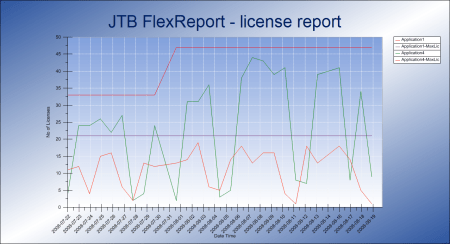
If you have FlexNet licenses check out our JTB FlexReport LT freeware. App for AutoCAD available.

Autodesk user? See these posts:

You may still find use for JTB FlexReport together with JTB Process Monitor. We can help analyze your historic usage so you can prepare for the switch.

If you find Autodesk's reporting is not enough our JTB Process Monitor could be a complement as it can also show both total and active usage both of Autodesk products and pretty much any other product you might want to track usage of.

Wednesday, December 27, 2023

JTB FlexReport 2023.12.0 - EPLAN HTML usage report

JTB FlexReport 2023.12.0 is now ready.

  • JTB FlexReport Core

    • HTML support for EPLAN added.
    • Sentinel lsmon parsing bug fix.
    • ELM/EPLAN user names correctly parsed.
    • Added support for temporary Vertex licenses.
  • JTB Process Monitor Client

    • MSI installer provided for alternative unattended setup.

See the version history for all details and previous versions.

Trial is available if you want to give it a try.

If your maintenance has expired you can try the new version for a few weeks, if you want to keep using it contact us to renew the maintenance. The upgrade is free of charge for customers with active maintenance.

What is JTB FlexReport? JTB FlexReport is a license usage report tool for applications licensed using network license systems like FlexNet (FlexNet), IBM LUM, DSLS, SPLM, Sentinel, LM-X, RLM, EPLAN (ELM), HASP, DPT, Tebis, CodeMeter among others. Track usage over time, hours used and much more. With JTB Process Monitor much more can be monitored like Bentley MicroStation, Autodesk Named User licenses and Autodesk Flex.

If you have FlexNet licenses check out our JTB FlexReport LT freeware. App for AutoCAD available.

Autodesk user? See these posts:

You may still find use for JTB FlexReport together with JTB Process Monitor. We can help analyze your historic usage so you can prepare for the switch.

If you find Autodesk's reporting is not enough our JTB Process Monitor could be a complement as it can also show both total and active usage both of Autodesk products and pretty much any other product you might want to track usage of.
Monday, February 20, 2023

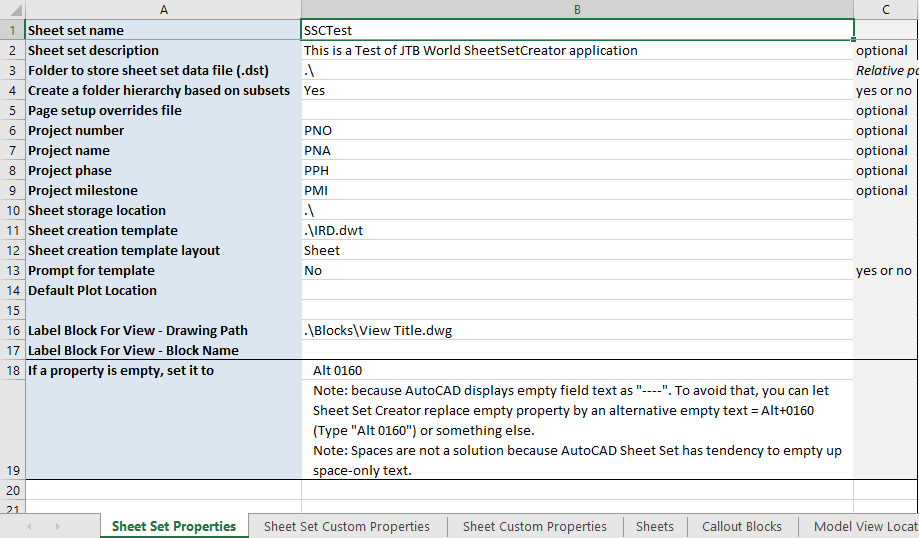
JTB FlexReport 2023.2.0 - DSLS license monitoring improvements

JTB FlexReport 2023.2.0 is now ready. JTB Process Monitor has also been updated.

See the version history for all details.

Trial is available if you want to give it a try.

If your maintenance has expired you can try the new version for a few weeks, if you want to keep using it contact us to renew the maintenance. The upgrade is free of charge for customers with active maintenance.

What is JTB FlexReport? JTB FlexReport is a license usage report tool for applications licensed using network license systems like FlexNet (FlexNet), IBM LUM, DSLS, SPLM, Sentinel, LM-X, RLM, EPLAN (ELM), HASP, DPT, Tebis, CodeMeter among others. Track usage over time, hours used and much more. With JTB Process Monitor much more can be monitored like Bentley MicroStation, Autodesk Named User licenses and Autodesk Flex.

If you have FlexNet licenses check out our JTB FlexReport LT freeware. App for AutoCAD available.

Autodesk user? See these posts:

You may still find use for JTB FlexReport together with JTB Process Monitor. We can help analyze your historic usage so you can prepare for the switch.

If you find Autodesk's reporting is not enough our JTB Process Monitor could be a complement as it can also show both total and active usage both of Autodesk products and pretty much any other product you might want to track usage of.
Friday, December 23, 2022

JTB Sheet Set Creator 3.1.0 released

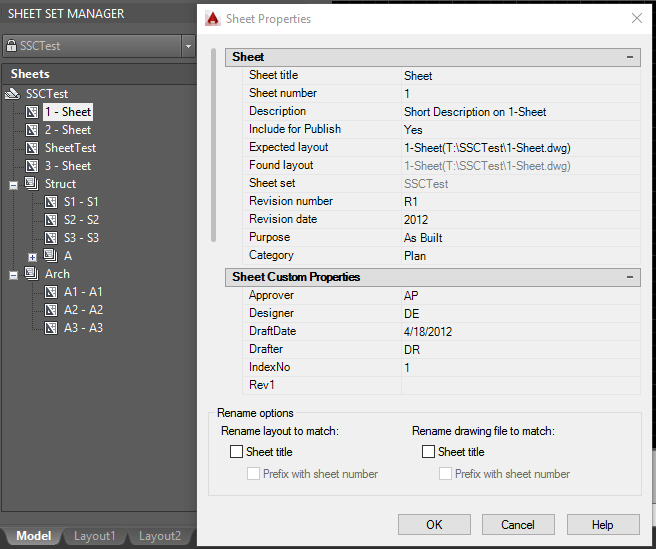
JTB Sheet Set Creator 3.1.0 is released and lately we added support for adding sheet and custom properties to existing Sheet Sets with a merging functionality. It is also a command line interface available.

JTB Sheet Set Creator is an app for AutoCAD that creates new Sheet Sets and Sheets with all properties based on an Excel template.

Don't know what the Sheet Set Manager is? The Sheet Set Manager in AutoCAD is a great tool for organizing and managing large sets of drawings, particularly in the architecture, engineering, and construction (AEC) industry. It allows users to create a logical and structured organization of their drawings, making it easier to find and access specific drawings when needed.

One of the key benefits of the Sheet Set Manager is its ability to create a sheet index, which serves as a table of contents for the entire set of drawings. This index can be customized to include information such as the drawing title, sheet number, and revision status, making it easy to quickly identify and access the desired drawing.

In addition to the sheet index, the Sheet Set Manager also allows users to create drawing lists, which are essentially sub-sets of drawings that are organized based on specific criteria, such as discipline or phase. This can be particularly useful for project managers who need to quickly access a specific group of drawings for a particular task or for team members who need to focus on a specific aspect of the project.

Overall, the Sheet Set Manager is a valuable tool for anyone working with large sets of drawings in AutoCAD, as it helps to streamline the organization and management of these drawings, saving time and reducing the risk of errors.

Download the upgrade or try it. JTB Sheet Set Creator

If you are using the Sheet Set Manager you can make batch edits of properties with JTB SSMPropEditor or make merge, purge and convert with JTB DST Tool or publish with JTB Batch Publish.

Monday, December 12, 2022

JTB FixRefs for BricsCAD

JTB FixRefs is now working on BricsCAD as well as previously supported AutoCAD.

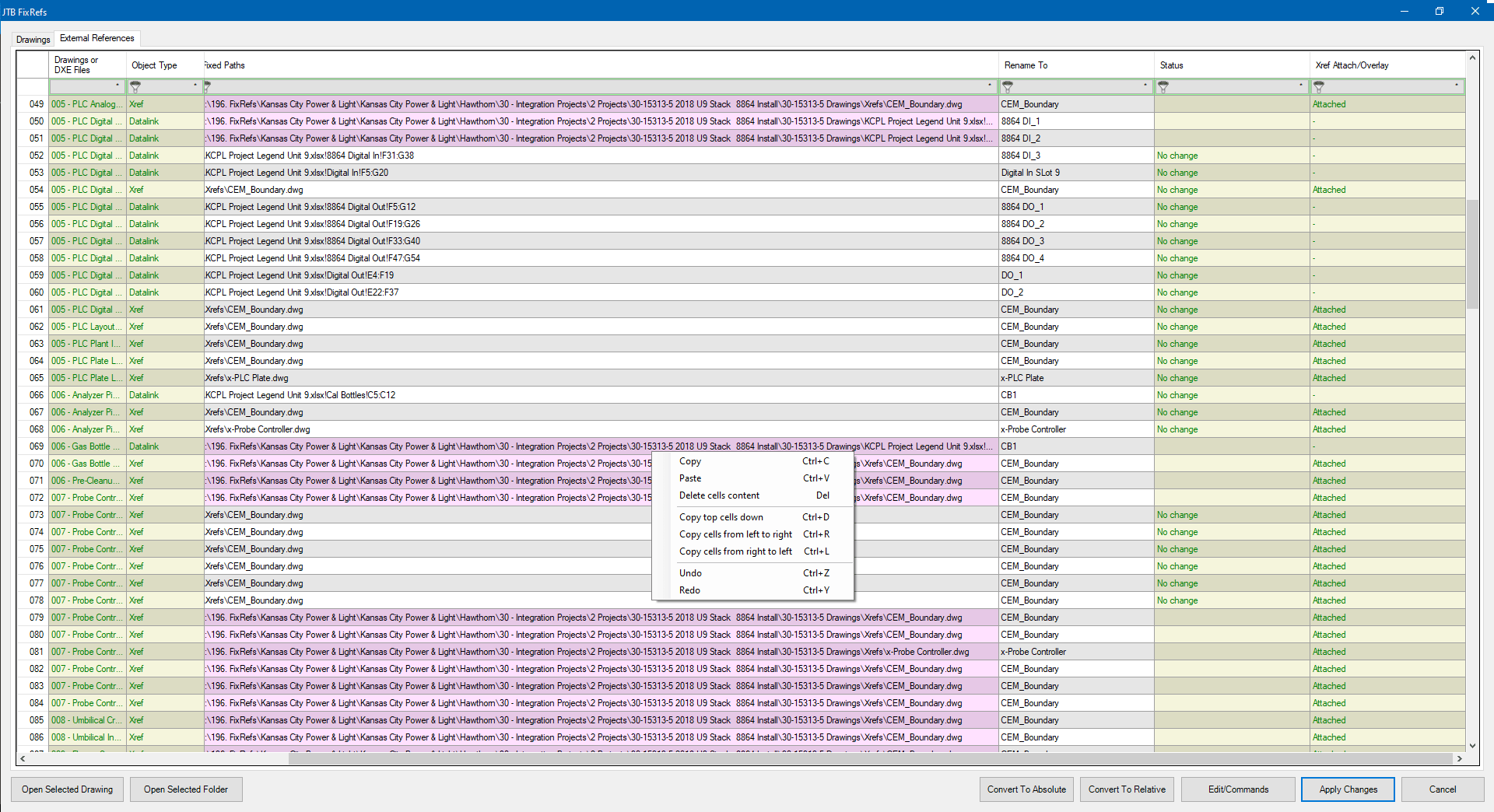
Select drawings, or all drawings in a folder and/or subfolders. A spreadsheet will bring up and list all your reference files in all your drawings, including Xrefs, Datalinks, Raster Images, PDFs, DWFs, and DGNs.

Click for larger image 

  • Convert file paths from absolute paths to relative paths and vice versa.
  • Rename the reference objects.
  • Detach, Unload, Reload. 
  • Bind xrefs. 
  • Option to retain date modified after saving.

Give JTB FixRefs a try.

Thursday, November 17, 2022

Solution for Access error: There isn't enough free memory to update the display

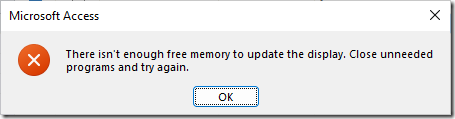
I've got this error in Microsoft Access. There isn't enough free memory to update the display. Close unneeded programs and try again.

image

It happens to me when Access is opened with a custom form and accessing the computer with Microsoft Remote Desktop Android app.

I found that deleting this VBA key in the registry solved it. After a Windows or Office update I had to delete it again.

HKEY_CURRENT_USER\Software\Microsoft\VBA

Wednesday, April 20, 2022

JTB FlexReport 2022.4.0 released - FlexNet monitoring and more

JTB FlexReport 2022.4.0 is now ready.

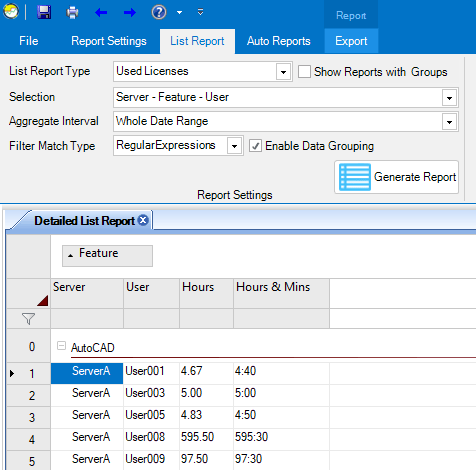
Try filter and data grouping in the list reports.

See the version history for all details.

Trial is available if you want to give it a try.

If your maintenance has expired you can try the new version for a few weeks, if you want to keep using it contact us to renew the maintenance. The upgrade is free of charge for customers with active maintenance.

What is JTB FlexReport? JTB FlexReport is a license usage report tool for applications licensed using network license systems like FlexNet (FlexNet), IBM LUM, DSLS, SPLM, Sentinel, LM-X, RLM, EPLAN (ELM), HASP, DPT, Tebis, CodeMeter among others. Track usage over time, hours used and much more. With JTB Process Monitor much more can be monitored like Bentley MicroStation, Autodesk Named User licenses and Autodesk Flex.

If you have FlexNet licenses check out our JTB FlexReport LT freeware. App for AutoCAD available.

Autodesk user? See these posts:

You may still find use for JTB FlexReport together with JTB Process Monitor. We can help analyze your historic usage so you can prepare for the switch.

Thursday, October 28, 2021

Autodesk Network License Manager update needed for Autodesk 2020 and 2021

Autodesk Customers with Multi-user subscription or Token-flex implementation using Autodesk Network License Manager (NLM) are required to upgrade the Network License Manager to the latest version v11.18.x to support Autodesk 2020 and newer version products on and after April 1st, 2022. ref

To report on Autodesk Network License Manager, Named User or Autodesk Flex usage try our JTB FlexReport.

Thursday, October 21, 2021

JTB FlexReport 2021.10.0 released - monitor expensive license usage

JTB FlexReport 2021.10.0 is now ready.

We have added and fixed a lot of things in this release. New monitoring options and new reports. Better performance. Works with Windows 11 and Windows Server 2022.

See the version history for all details.

Trial is available if you want to give it a try.

If your maintenance has expired you can try the new version for a few weeks, if you want to keep using it contact us to renew the maintenance. The upgrade is free of charge for customers with active maintenance.

What is JTB FlexReport? JTB FlexReport is a license usage report tool for applications licensed using network license systems like FlexNet (FlexNet), IBM LUM, DSLS, SPLM, Sentinel, LM-X, RLM, EPLAN (ELM), HASP, DPT, Tebis, CodeMeter among others. Track usage over time, hours used and much more. With JTB Process Monitor much more can be monitored like Bentley MicroStation, Autodesk Named User licenses and Autodesk Flex.

If you have FlexNet licenses check out our JTB FlexReport LT freeware. App for AutoCAD available.

Autodesk user? See these posts:

You may still find use for JTB FlexReport together with JTB Process Monitor. We can help analyze your historic usage so you can prepare for the switch.

Monday, October 4, 2021

JTB FlexReport can monitor Autodesk Flex

Autodesk Flex is a new option to pay as you go for occasional product use. While you can get some usage reports from Autodesk they are limited.

Tokens

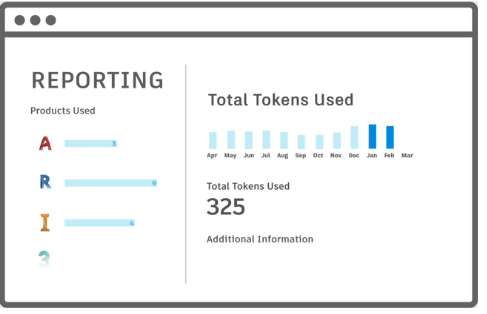
When a user opens and signs into an Autodesk product included with Flex, they will be charged a daily rate per product once every 24 hours.

For example, a user opens and signs into AutoCAD from 8am-9am will be charged 7 tokens, same as a user using it the whole day. Even just starting and closing AutoCAD will cause a charge if 7 tokens (around $21). Revit will take 10 tokens.

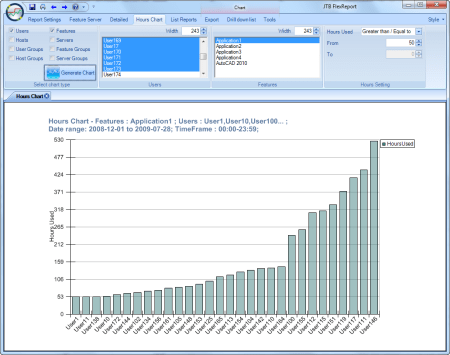
With JTB FlexReport and JTB Process Monitor you can get additional valuable reports to identify users that just use a product a short time per day. You can get the total time the product has been running as well as the active time the user used the product. With this users using the products just a short time can be identified.

Contact us for a free trial or if you have any questions.

Tuesday, August 10, 2021

Example of usage of JTB FlexReport and JTB Process Monitor

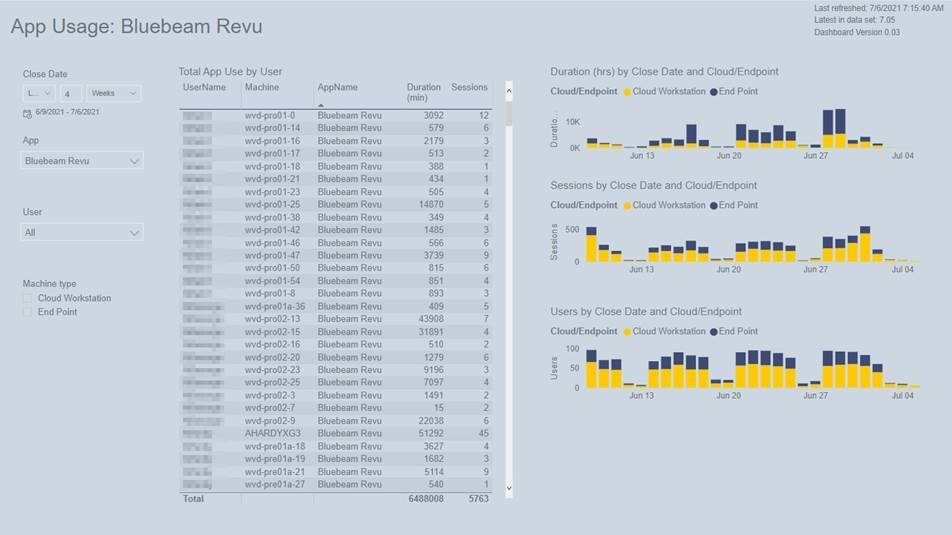
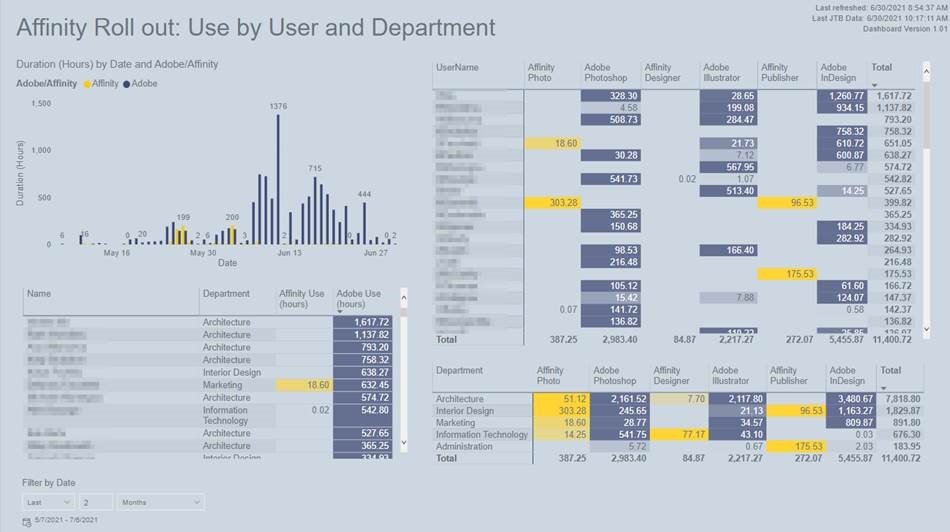
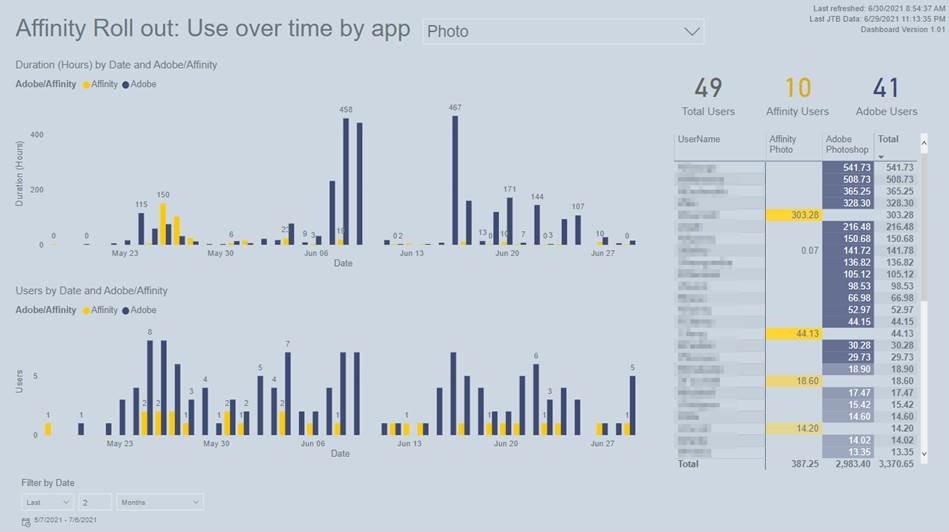
JTB FlexReport and JTB Process Monitor have an open database making it possible for customers to create their own reports of app usage.

Jess Purcell at Shepley Bulfinch kindly shared her custom reports based on usage data tracked with JTB FlexReport and JTB Process Monitor:

“We’ve done a couple significant things. For one, we’re using it to track app usage on people local laptops versus on our virtual desktops to understand who is using things locally instead of virtually, and what apps are getting more use in each location.”

JTB FlexReport 1

“And I’m going to start using it for our Affinity Suite rollout to track adoption and usage of Affinity over Adobe CS6. I’m able to see specific app usage times, and identify people who haven’t tried it, or are using it a lot and could share their experiences. I’m also able to compare directly between the relating Apps (Photo and Photoshop, Designer and Illustrator, etc)”

JTB FlexReport 2

“I built those dashboards in PowerBI, and I’m pulled some Deltek info in as well for department and if they are an active employee.”

JTB FlexReport 3

Free trial of JTB FlexReport and JTB Process Monitor is available.

Thursday, May 13, 2021

JTB Batch Publish 3.0.2 released AutoCAD 2022 supported

JTB Batch Publish 3.0.2 has been released and now works with AutoCAD 2022.

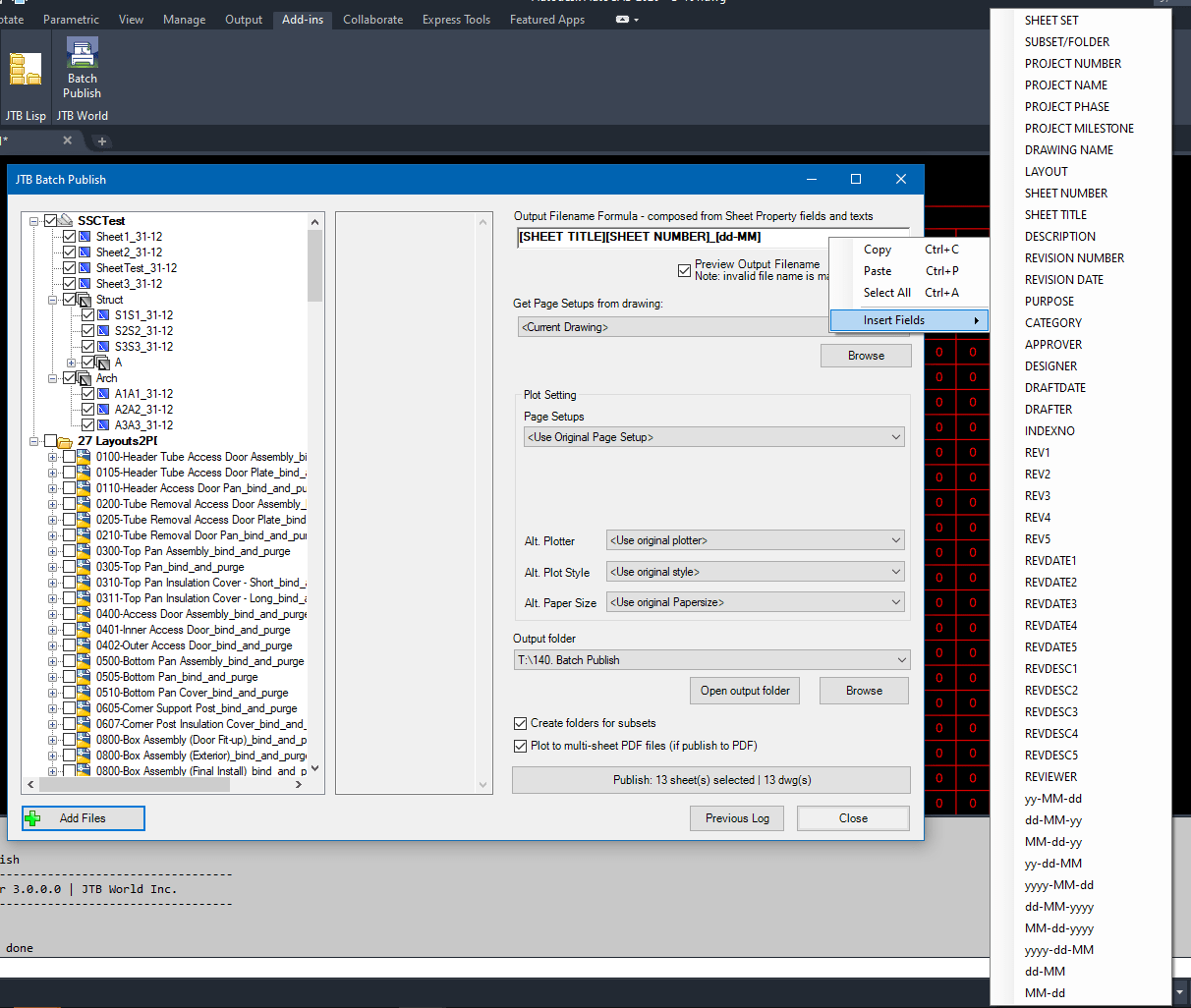
JTB Batch Publish is an app for AutoCAD and BricsCAD that publishes sheets in Sheet Sets, layouts in other drawings, folders or drawings in DSD files to files like PDF and DWF or images like PNG. The files created are named as you want based on a naming formula that you specify. Use date fields and/or sheet properties of your choice to build up the output filename.

Download is here as well as trial.

Sunday, May 9, 2021

Batch scripting for DraftSight with JTB SmartBatch

JTB SmartBatch 5.5.0 is released made it compatible with DraftSight and before that with AutoCAD 2022.

Download here. Purchase a new license or upgrade here.

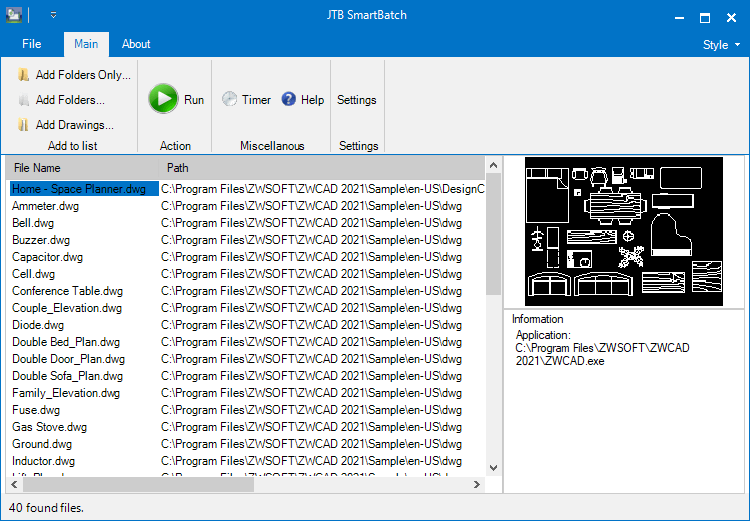
JTB SmartBatch is a batch and script utility for processing multiple DWG drawings with full control with AutoCAD, BricsCAD, ZWCAD, DraftSight or GstarCAD.

JTB SmartBatch closes dialog boxes that might otherwise stop batch processing like for example dialog box showing missing fonts. Execute LSP or SCR files on multiple drawings. JTB SmartBatch handles crashes so the CAD batch processing continues to the end and leaves bad drawings to be corrected manually. Many purge and cleanup settings available. Useful before backups and distribution of drawings. The file's modified time stamp can be restored.

ZWCAD batch scripting

The free trial without license file is fully functional except that you can only batch process 10 drawings per session to give you the chance to confirm that the program works as expected. When you purchase you can use JTB SmartBatch with no limitations.

Monday, March 1, 2021

Multi-User to Named User Autodesk licenses update

If you have not yet traded your Multi-User to named user cloud-based licensing, see this updated post by Autodesk.

“Starting February 25, 2021, we will provide customers the option to take advantage of the multi-user trade-in offer at their first and all future renewals between August 7, 2020 and until August 7, 2023.”

You might have used JTB FlexReport for network license monitoring and with JTB Process Monitor you can keep monitoring the usage of named user licenses. If you for example had 50 Multi-user licenses and traded them for 100 named user licenses you might not want to keep paying for 100 licenses if you only have 75 licenses used on a regular basis. You probably don’t want to pay for users that rarely use the software.

Take a look at Autodesk Named User usage reporting, Autodesk Network Licenses RIP, New Named User Plans and Prepare for the switch to Autodesk Named User Licenses.

A useful article Autodesk Delays Implementation of Named-User Licensing Approach by Robert Green here

Thursday, February 11, 2021

JTB FlexReport 2021.2.0 - New Feature Group report

JTB FlexReport 2021.2.0 is now ready.

We have added and fixed few things in this release.

  • JTB FlexReport Service/Client
    • New list report with Feature Group aggregation. "Server - Feature Group - User - Host".
    • Bug fixed that caused erroneous number of licenses issued and licenses in use in some rare cases.

Feature Group list report

See the version history for all details.

Trial is available if you want to give it a try.

If your maintenance has expired you can try the new version for a few weeks, if you want to keep using it contact us to renew the maintenance. The upgrade is free of charge for customers with active maintenance.

What is JTB FlexReport? JTB FlexReport is a license usage report tool for applications licensed using network license systems like FlexNet (FlexNet), IBM LUM, DSLS, SPLM, Sentinel, LM-X, RLM, EPLAN (ELM), HASP, DPT, Tebis, CodeMeter among others. Track usage over time, hours used and much more.

If you have FlexNet licenses check out our JTB FlexReport LT freeware. App for AutoCAD available.

Autodesk user? Take a look at Autodesk Network Licenses RIP, New Named User Plans and Prepare for the switch to Autodesk Named User Licenses. You may still find use for JTB FlexReport together with JTB Process Monitor. We can help analyze your historic usage so you can prepare for the switch.

Thursday, January 28, 2021

Batch scripting for ZWCAD with JTB SmartBatch

JTB SmartBatch 5.3 is released.

Download the update either as a customer or if you want a trial. Purchase a new license or upgrade here if previous purchase was before 2019.

JTB SmartBatch is a batch and script utility for processing multiple DWG drawings with full control with AutoCAD, BricsCAD, ZWCAD or GstarCAD.

JTB SmartBatch closes dialog boxes that might otherwise stop batch processing like for example dialog box showing missing fonts. Execute LSP or SCR files on multiple drawings. JTB SmartBatch handles crashes so the CAD batch processing continues to the end and leaves bad drawings to be corrected manually. Many purge and cleanup settings available. Useful before backups and distribution of drawings. The file's modified time stamp can be restored.

ZWCAD batch scripting

The free trial without license file is fully functional except that you can only batch process 10 drawings per session to give you the chance to confirm that the program works as expected. When you purchase you can use JTB SmartBatch with no limitations.

Monday, December 7, 2020

JTB FlexReport 2020.12.0 - monitor BricsCAD license usage and more

JTB FlexReport 2020.12.0 is now ready.

We have fixed a few things in this release.

  • JTB FlexReport Core
    • Fixed a problem where the FlexNet debug log import could fail to work.
  • JTB FlexReport Service/Client
    • Fixed another bug caused by ' character in user and host names.

See the version history for all details.

BricsCAD is among the many products JTB FlexReport can monitor usage of.

Trial is available if you want to give it a try.

If your maintenance has expired you can try the new version for a few weeks, if you want to keep using it contact us to renew the maintenance. The upgrade is free of charge for customers with active maintenance.

What is JTB FlexReport? JTB FlexReport is a license usage report tool for applications licensed using network license systems like FlexNet, IBM LUM, DSLS, SPLM, Sentinel, LM-X, RLM, EPLAN (ELM), HASP, DPT, Tebis, CodeMeter among others. Track usage over time, hours used and much more.

If you have FlexNet licenses check out our JTB FlexReport LT freeware. App for AutoCAD available.

Autodesk user? Take a look at Autodesk Network Licenses RIP, New Named User Plans and Prepare for the switch to Autodesk Named User Licenses. You may still find use for JTB FlexReport together with JTB Process Monitor.

Monday, November 9, 2020

JTB FlexReport 2020.11.0 license and app usage monitoring

JTB FlexReport 2020.11.0 is now ready.

We have added, improved and fixed things in this release. Some of it:

  • Startup time of the Client had been improved.
  • Bug fixes for some list reports.

See the version history for all details.

JTB FlexReport Config > Update DB is needed after installing.

Trial is available if you want to give it a try.

If your maintenance has expired you can try the new version for a few weeks, if you want to keep using it contact us to renew the maintenance. The upgrade is free of charge for customers with active maintenance.

What is JTB FlexReport? JTB FlexReport is a license usage report tool for applications licensed using network license systems like FlexNet, IBM LUM, DSLS, SPLM, Sentinel, LM-X, RLM, EPLAN (ELM), HASP, DPT, Tebis, CodeMeter among others. Track usage over time, hours used and much more.

If you have FlexNet licenses check out our JTB FlexReport LT freeware. App for AutoCAD available.

Autodesk user? Take a look at Autodesk Network Licenses RIP, New Named User Plans and Prepare for the switch to Autodesk Named User Licenses. You may still find use for JTB FlexReport together with JTB Process Monitor.

Monday, October 19, 2020

JTB Page Setup Fix for AutoCAD

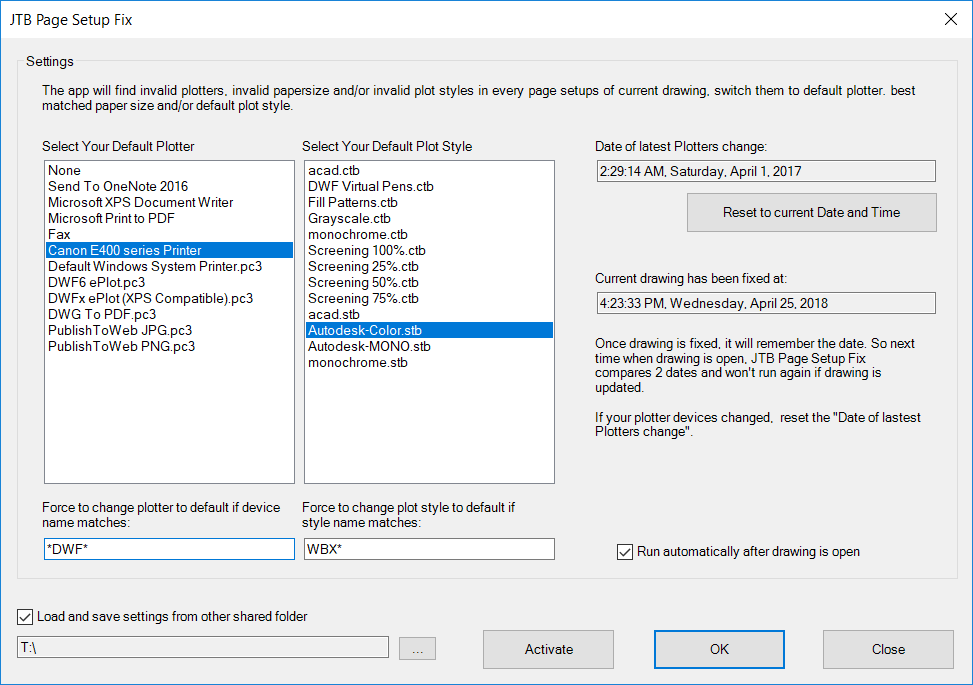
The app JTB Page Setup Fix will search all page setups in your drawing and check every plotters, paper sizes and plot styles. If a plotter is no more available in your PC, it will be replaced by your selected default plotter. If paper size is not applicable, it will be replace with best matched paper size. If a plot style is not found, it will be replaced by your default plot style.

You can also set up for the fix routine to run every time a drawing is open.

Trial license for JTB Page Setup Fix is available for 15 days.

Monday, September 28, 2020

JTB FlexReport will help when migrating to Named User licensing by Autodesk

If you have used Autodesk network licenses you might have or will migrate to the new Named User plans. JTB FlexReport will help with your reporting needs as well as to prepare before it’s time to know how many Named User licenses you need. For example by importing old FlexNet debug logs and create reports on them.

JTB FlexReport 2020.9.3 is now ready.

We have added, improved and fixed things in this release. Some of it:

  • Added support to import FlexNet debug log usage and denials.
  • GHSlm improved to handling large logs without interrupting other monitored  license systems.
  • DS-2 bug fixed to use correct server name.
  • Fixed a bug where logging could stop in some cases.
  • Fixed  bug that could result in an empty HTML report.
  • Raw data list and pinged hosts reports use date filters.
  • Gridline settings saved and used as expected in future reports, auto reports and favorites.

See the version history for details.

Trial is available if you want to give it a try.

If your maintenance has expired you can try the new version for a few weeks, if you want to keep using it contact us to renew the maintenance. The upgrade is free of charge for customers with active maintenance.

What is JTB FlexReport? JTB FlexReport is a license usage report tool for applications licensed using network license systems like FlexNet, IBM LUM, DSLS, SPLM, Sentinel, LM-X, RLM, EPLAN (ELM), HASP, DPT, Tebis, CodeMeter among others. Track usage over time, hours used and much more.

If you have FlexNet licenses check out our JTB FlexReport LT freeware.

Autodesk user? Take a look at Autodesk Named User usage reporting, Autodesk Network Licenses RIP, New Named User Plans and Prepare for the switch to Autodesk Named User Licenses.

Some of the latest blog posts

Subscribe to RSS headline updates from:
Powered by FeedBurner

Contact Us | About JTB World | Website General Terms of Use | Privacy Policy
^ Top of page

© 2004- JTB World. All rights reserved.