RVT Columns can now be downloaded as trial from the Autodesk App Store site as well as be purchased from there.

With RVT Columns you can see the Revit Version and Revit Build in Explorer and File browsing dialog boxes.
RVT Columns can now be downloaded as trial from the Autodesk App Store site as well as be purchased from there.
With RVT Columns you can see the Revit Version and Revit Build in Explorer and File browsing dialog boxes.
I just launched Autodesk Desktop App and noticed that last month (Nov 17, 2016) there was an update for subscription (maintenance and students) users only.
It’s not available on AutoCAD 2017 Downloads but on the other hand on the Autodesk Account.
According to the readme:
This AutoCAD 2017.1.1 and AutoCAD LT 2017.1.1 Update contains all of the updates previously released for AutoCAD 2017 and AutoCAD LT 2017.
Problems Reported with the Customer Error Reporting Utility:
Graphics
- Occasional crashes when creating a 3D polyline after an Undo.
- Occasional crashes when switching to the Top View in some AutoCAD Architecture drawings.
- Occasional crashes when selecting some objects after using Wblock on certain drawings.
General
- Occasional crashes when closing some xrefs after you edit the referenced drawings in place.
General Update Content:
Display
- All lines were displayed as continuous in Excel when they were pasted from AutoCAD 2017 with hardware acceleration enabled.
- The linetype might be missed on the Ribbon when switching to the light theme.
General
- Pressing a Function key during an active command would freeze AutoCAD after updating to the Windows 10 anniversary edition.
- Publishing might degrade performance when opening some projects in the Sheet Set Manager.
- Importing certain DGN files might fail.
- The bubble notification needed to be closed twice when switching to a 3D Visual Style.
- Customized Edit menu settings might be removed after installing 2017.1 Update.
JTB FlexReport updates JTB FlexReport Core and JTB Process Monitor. See the revision history for details and download the installers.
With JTB FlexReport you can create many different reports of software and license usage so you are in a better position to have enough licenses at all times or split costs on departments or any group of users or computers.
Contact us to get a time limited license file for free.
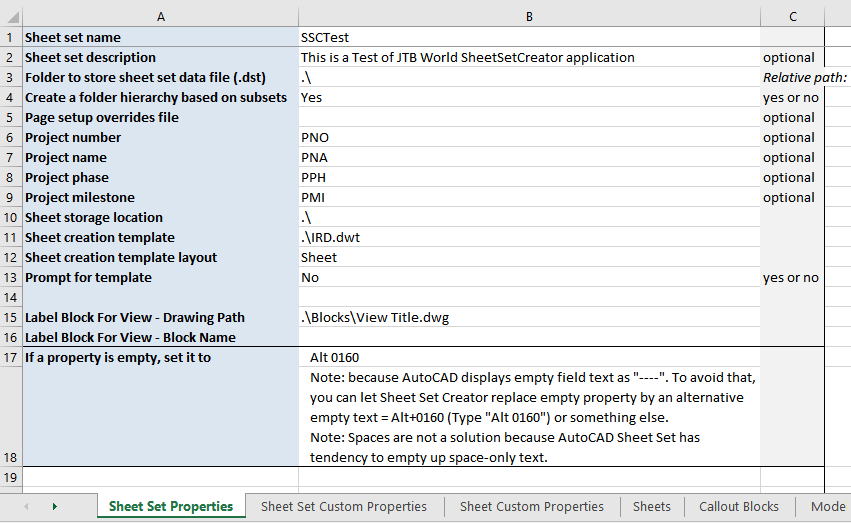
JTB Sheet Set Creator 2.0 is here.
JTB Sheet Set Creator is an app for Autodesk AutoCAD that creates new Sheet Sets and Sheets based on an Excel template for usage in Sheet Set Manager(SSM).
Here’s what’s new in version 2.0:
Free trial is available for JTB Sheet Set Creator.
AutoCAD 2017 for Mac and AutoCAD LT 2017 for Mac are here. User Interface updates, tool sets into two tabs and customizable, File tabs, importing PDFs and running multiple AutoCAD sessions side-by-side, Full Screen Mode and more.
Introducing AutoCAD 2017 for Mac and AutoCAD LT 2017 for Mac has all details.
More about AutoCAD for Mac
RVT Columns for Windows Explorer is now available.
With it you can see the Revit version and Revit build in Windows Explorer / File Explorer columns.
Even in file dialog boxes within Revit. Now you can know the Revit version and Revit build before even opening the file.
Sort files in Explorer based on any of the columns available like the Revit version.
InfoTip (ToolTip) with version and build can also be seen when hovering over a file.
Supported extensions and file types are RTE, RVT, RFA and RFT.
Free trial of RVT Columns for Windows Explorer is available.
OsnapzBG freeware or OsnapzBG Plus apps for AutoCAD have been updated.
With OsnapzBG loaded any change of OSNAPZ will also change the background and other specified colors depending on if OSNAPZ is set to 0 or 1.
OsnapzGB 1.3
OsnapzBG Plus 1.1
Directory Opus is a great replacement for Explorer with a lot of nice features. Single or dual pane file display and folder trees, Tabbed interface let you keep multiple folders open and switch quickly between them, Color-code your files, assign status icons, star ratings, tags and descriptions, Batch renaming including easy-to-use keyboard macros, FTP and much more.
Now our DWG Columns for Explorer works with Directory Opus 12 (or newer) as well as the Windows Explorer.
Right click on this link DWG_Columns.vbs.txt and save it as DWG_Columns.vbs without the .txt extension in the folder %appdata%\GPSoftware\Directory Opus\Script AddIns. The file can also be dragged and dropped into the Scripts dialog box that is access from Settings>Preferences>Toolbars>Scripts.
After that the columns can be showed by right click on the column headers via Columns>Script>DWG Columns
And as can be seen below DWG version and DWG title has been showed. Other drawing file properties or metadata from the Summary and Details tab can be showed too.
This works with DWG and DXF files edited with applications like AutoCAD, Dassault Systemes DraftSight, Caddie, progeCAD, Bricsys BricsCAD, IMSI TurboCAD, GRAPHISOFT ArchiCAD, GstarCAD, nanoCAD, MicroStation, ZWCAD+ and others.
Interested to try or buy DWG Columns for Explorer?
JTB Word's DWG Columns for Explorer has been updated to version 2.3. If you already have version 2.2 installed and it’s working fine there is no need to upgrade as this version only have improved the installation process to be more stable. There are now also 3 versions of DWG Columns. One fully functional version that can be purchased, one trial and one freeware.
If you want to see the DWG and DXF properties and metadata in Explorer columns please give the trial a try. No need to have AutoCAD or other CAD programs installed for this to work. After the trial has expired you can still use it to show the DWG version information as long as you like.
The free viewportcenter.lsp has been updated with more functionalities.
This app shows the coordinates for the center of the current viewport on command line.
If command is run within a viewport in model space it can be run transparently for example like this using 'vpc
Command: LINE
Specify first point: 'vpc
If command is in paper space it will ask to select viewport and the point will be available as last used point and can be used with @ like this:
Command: LINE
Specify first point: @
Here’s how to disable Skype birthday notifications when using Skype on Android. You probably been as annoyed as me that there is no setting for this on the Skype for Android app and that the has a birthday checkbox setting isn’t synchronized from the desktop version of Skype.
Start a chat with any of your contacts. and type the following row:
/nobday
and press enter or send.
This message won't be sent to the one in the chat and the change will affect notifications for all contacts.
If it works you may see a message like below:
System: Birthday notifications disabled
There are other available commands that can be found at http://www.skype.com/go/help.chathelp
If you want to restore or enable the birthday notifications use this command:
/setupkey Lib/Conversation/EnableBirthday 1
The message showing will be:
setupkey: [Lib/Conversation/EnableBirthday] now '1'
I’ve not tested above but it should work for other platforms like iPhone, Windows phone, BlackBerry, Amazon Fire Phone and iPod touch, iPad, Kindle Fire HD, Windows, Xbox One, Apple Watch, Android Wear, Skype for TV, Max and Linux.
As a bonus tip. If you want to make text bold, italic or strikethrough
* surrounding text (*text here*) makes it bold.
_ surrounding text (_text here_) makes it italic.
~ surrounding text (~text here~) makes it strikethrough.
If you start a message with "@@ " (two ats with a space), every formatting function in your message will be ignored except emoticons.
If you start a message with "!! " (two exclamations with a space), every formatting function in your message will be ignored and font will be switched to monospaced.
UPDATE: Some more commands are described on the TechLila Blog.
JTB Layer Palette 1.2.1 for BricsCAD is now available and at half the previous price.
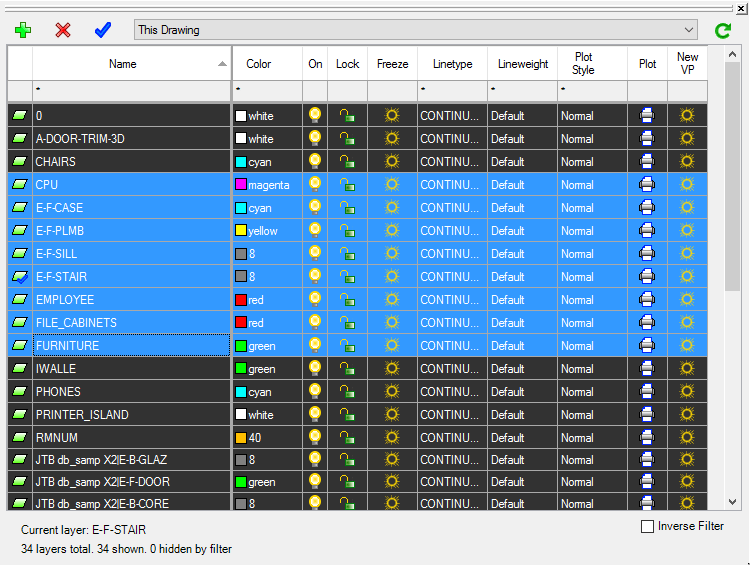
JTB Layer Palette is a palette app for BricsCAD. You can manage layers in BricsCAD without leaving the drawing screen. Customizable view, multiple layers tasking, this will make managing layers much more easier.
More about JTB Layer Palette here. For more of JTB World’s software that you might find useful visit our software list. We also offer custom programming services and can help you with both small and large projects.
Subscribe to our JTB Layer Palette newsletter or any of our other Newsletters.
AutoCAD 2017.1 Update is a subscription-only update for AutoCAD 2017 and AutoCAD LT 2017 and available either from your Autodesk Account or by using the Autodesk Desktop App.
Note that even security enhancements and bug fixes are only available for subscription customers. (UPDATE: the update is available for download for non-renters as well, see Steve Johnson’s post When is a subscription-only update not a subscription-only update?) (UPDATE: the update will be available for students. See Shaan Hurley’s post AutoCAD 2017.1 Feature Update for Students)
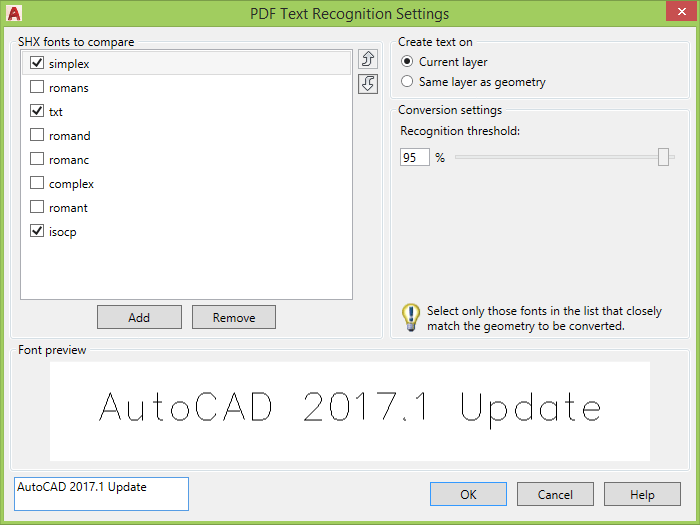
Import PDF Feature Enhancement - PDFSHXTEXT is a command that you can use after you import a PDF file that contains SHX geometry. It converts any selected PDF geometry into multiline text objects that use a matching SHX font. Several popular SHX fonts are supported. However, Asian Big Font SHX geometry is currently not supported. Commands: PDFSHXTEXT , -PDFSHXTEXT , TXT2MTXT
PDF Text Recognition Settings windows:
High Resolution Monitor Support(High Pixels per Inch) is a New Feature - In the AutoCAD 2017.1 Update, common user interface elements, such as the Layer Manager, Command Line window, Property Palette, File Navigation dialog box, pick box cursor, grips, View Cube, and UCS icon, are correctly adjusted to the Windows setting for the display scale.
For the best results, use Windows 10 due to operation system limitations.
Use a compatible video card for the best results.
Some dialog boxes in vertical products are not optimized.
Object Selection Feature Enhancement - Objects that are moved off screen during selection remain in the selection set. All linetype gaps can be selected and available for object snapping when High Quality Geometry is turned on. System variables: SELECTIONOFFSCREEN, LTGAPSELECTION
Linetype gap behavior is enhanced to support complex and DGN linetypes. In addition, this feature works with all objects, such as polylines with width and splines. Now you can select complex and DGN linetypes or snap to them by picking on the gaps between the geometry.
Security Feature Enhancement - Internal software security continues to be enhanced, closing potential exploits.
3D Graphics Performance Feature Enhancement - The performance and reliability of 3DORBIT is improved for rendered visual styles, especially for models with a large number of small blocks containing edges and facets. Command: VISUALSTYLES
Highlight New Features
And here is a couple examples of what it can look like.
As a result of the detailed information that Autodesk received from customers who used the Customer Error Reporting Utility, they were able to identify and fix the problems listed below:
Blocks
Graphics
Purge
Web and Cloud
General
The following defects have been fixed:
Display
Open and Save
PDF Import
Xref
General
The following are known feature limitations in the AutoCAD 2017.1 Update:
Vertical Products
TXT2MTXT enhancements are quite many:

AcAutoLoader.crx is updated with this update meaning that AutoCAD 2017 App Autoloader Hotfix is included.
See also Autodesk’s blog post AutoCAD 2017 Fall Update and the AutoCAD 2017.1 Update/Enhancement Preview Guide.
JTB DST Tool can merge, purge and convert Sheet Set DST files for AutoCAD, BricsCAD and any other CAD software using Sheet Set DST files. For example AutoCAD's Sheet Set Manager (SSM) or AutoCAD Architecture's Project Navigator (PN) Sheet Set View.
If you work with the Sheet Set Manager and want to edit Sheet Sets see our SSMPropEditor app or if you want to create Sheet Sets and their properties in an automated manner take a look at our JTB Sheet Set Creator.