Sunday, March 20, 2016

Autodesk Network License Manager v11.13.1.2

No matter if you are upgrading to Autodesk 2017 products like AutoCAD 2017 or not you should consider upgrading the Network License Manager now because of a FlexNet vulnerability in version 11.13.1.0 and earlier.

Here you can get the download:

Autodesk recommends installing the Network License Manager in the default installation folder. Starting with version v11.13.1.2, the default installation folder has changed to C:\Autodesk\Network License Manager.

Autodesk 2017 products can obtain license from Network License Server v11.12 and above. However, it is strongly recommended to upgrade the license servers to the latest version, v11.13.1.2, when using 2017 products.

Supported Operating Systems:

  • Microsoft® Windows® Server 2012 R2 (64-bit)
  • Microsoft Windows Server 2012 (64-bit)
  • Microsoft Windows Server 2008 R2 (64-bit)
  • Microsoft Windows Server 2008 (32-bit and 64-bit)
  • Microsoft Windows 10 (32-bit and 64-bit)
  • Microsoft Windows 8 / 8.1 (32-bit and 64-bit)
  • Microsoft Windows 7 (32-bit and 64-bit)
  • Apple® Mac OS® X 10.11
  • Apple Mac OS X 10.10
  • Apple Mac OS X 10.9
  • Apple Mac OS X 10.8
  • Red Hat® Enterprise Linux® 7
  • Red Hat Enterprise Linux 6
  • Red Hat Enterprise Linux 5
  • SUSE Linux Enterprise 11

JTB FlexReport works fine with Network License Manager v11.13.1.2.

Thursday, March 10, 2016

JTB FlexReport 10.1 released

JTB FlexReport 10.1 has been released. With JTB FlexReport you can monitor license usage across your network.

Here are downloads.

Here’s the revision history describing when is new and fixed in this release.

This update is for all customer with current maintenance agreement. If yours has expired you’re welcome to renew it.

Contact us to get a time limited license file for free. You can try it in your environment with your real data for a few weeks with full functionality. Support is free so if you run into any questions we’re here to help you.

Wednesday, March 2, 2016

DWG Columns and Office update conflict

It has come to our knowledge that some Microsoft Office (Office 2013, Office 2016, Office 365) updates are causing troubles with our DWG Columns product that can show DWG properties in Windows Explorer / File Explorer.

If you have activated the columns in Explorer you will notice that they are missing after Office is updated and can’t be added back again.

Click to see a larger version with more columns

Microsoft Office development team are now aware of this problem and hopefully will fix this so it’s not happening in future Office updates.

In the meantime the workaround is to for example add the following to your Windows login scripts or run it manually on the command line and after that the columns can be added again.

rundll32.exe "C:\Program Files\JTB World\DWG Columns\DWGPropertyHandler.dll",InstallPropertySchema

This issue will affect any software that has similar functionality to show custom properties or metadata in Explorer using the Windows Windows Property System API.

Tuesday, March 1, 2016

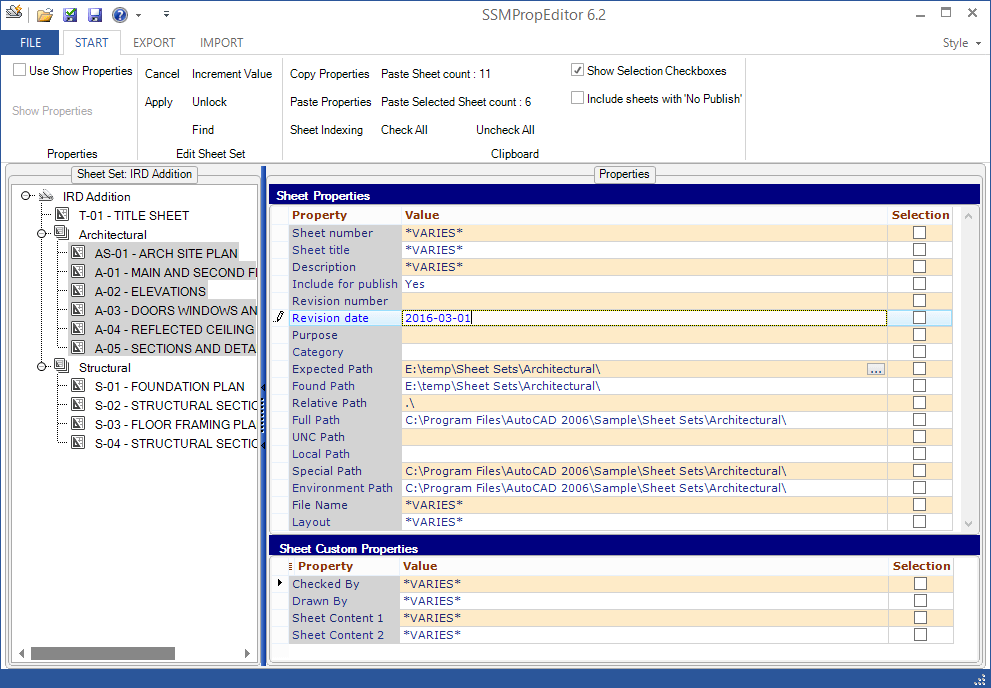
SSMPropEditor 6.2 available - Sheet Set Manager Editor

SSMPropEditor 6.2 is now available. Are you using the Sheet Set Manager then you will save a lot of time, frustration and money with our app.

Use Find and Replace of text among all properties and all sheets or change properties on multiple sheets at the same time. If you want to make changes in Excel, that can be done too. Copy custom properties that are defined in one Sheet Set into another Sheet Set. And more…

SSMPropEditor

For details on this release see the revision history.

Downloads are available here and works in trial mode for 30 days. Existing customers can upgrade for free and use their existing license file.

More from JTB World: Create new Sheet Sets including drawings based on an Excel template with out JTB Sheet Set Creator.

If you would need help to develop any custom app or program we can help. We specializes on AutoCAD and Revit but also do work for other CAD platforms as well as pure Windows apps.

Wednesday, February 24, 2016

FlexNet vulnerability in version 11.13.1.0 and earlier

Flexera Software FlexNet Publisher, version 11.13.1.0 and earlier, lmgrd and custom vendor daemon servers contain a buffer overflow vulnerability that may be leveraged to gain code execution. Vulnerability Note VU#485744 on CERT describes “Flexera Software FlexNet Publisher lmgrd contains a buffer overflow vulnerability”.

Users of affected software should contact product vendors for update information.

I checked if Autodesk has released an update but nothing so far. Check with your vendors and contact them if they have not provided an update.

ANSYS does have an update for this.

When there is an update for FlexNet ready from your vendor I foresee no problem to use JTB FlexReport or JTB FlexReport LT with it. Lmutil.exe that is in the JTB FlexReport folder or the folder where JTB FlexReport LT.exe is located could be updated but should not be affected by this vulnerability.

UPDATE March 3, 2016: Autodesk has released 11.13.1.2 and is available here.

Wednesday, February 10, 2016

JTB FlexReport 10.0 released

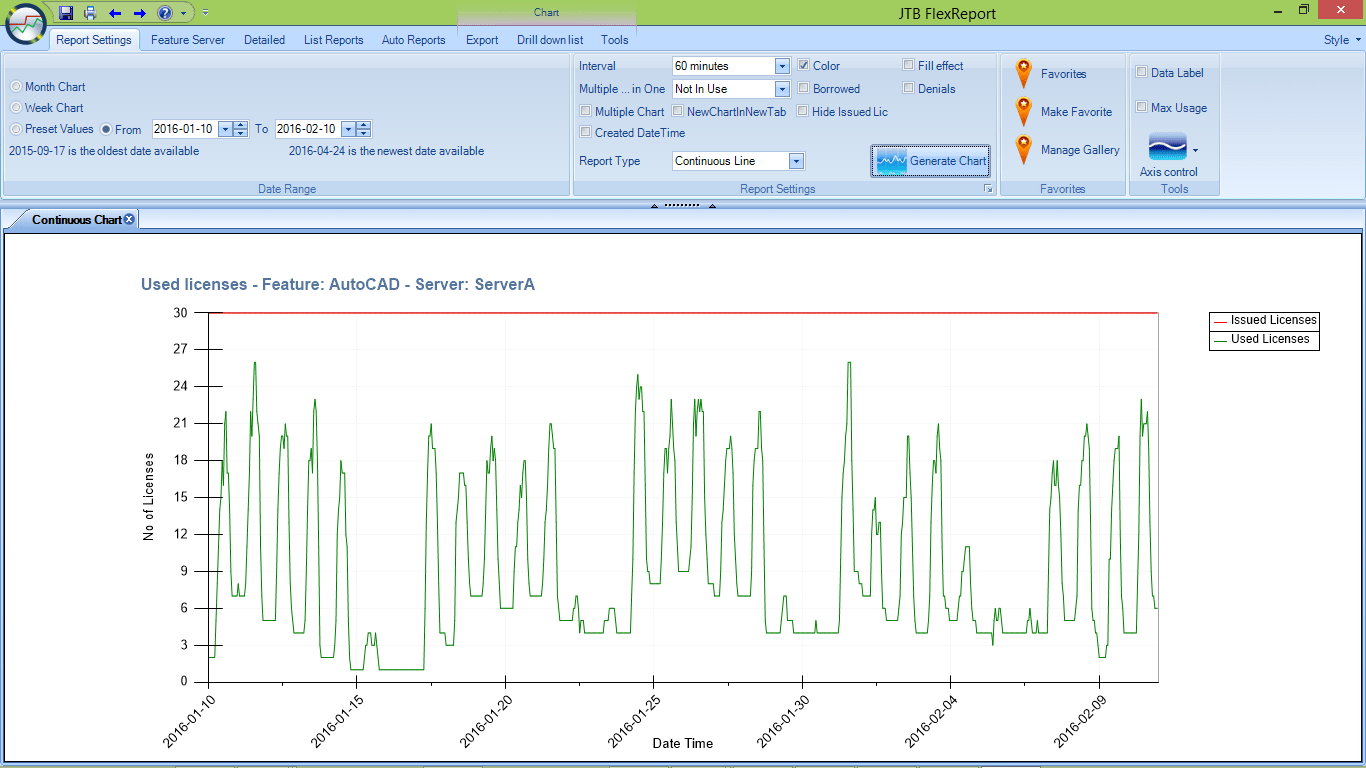
JTB FlexReport 10.0 has been released. JTB FlexReport is a solution for monitoring network license usage and software usage in general. With its reports you are in a better position to know the actual usage of often expensive licenses. You will easier predict when and how to handle the need of increases or decreases of your licenses.

Here’s a chart showing usage for the last month. The Chart Client is easier to use now because depending on report type, settings that are not relevant to that report type are hidden.

Notice a welcome feature making it much easier to create commonly used charts. Make favorites and access them quickly.

Here are downloads.

Here’s the revision history describing when is new and fixed in this release.

Thhis update is for all customer with current maintenance agreement. If yours has expired you’re welcome to renew it.

Contact us to get a time limited license file for free. You can try it in your environment with your real data for a few weeks with full functionality. Support is free so if you run into any questions we’re here to help you.

Thursday, January 21, 2016

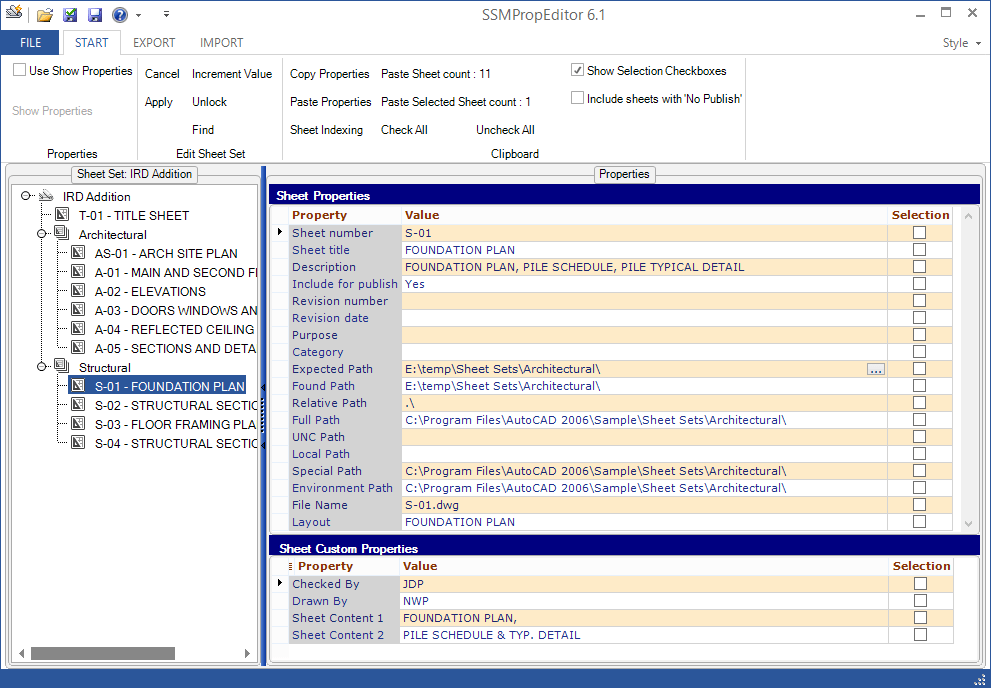
SSMPropEditor 6.1 available - Sheet Set Manager Editor

SSMPropEditor 6.1 is now available. This Sheet Set Manager Editor can save hours of work if your company uses AutoCAD’s Sheet Set Manager. Use Find and Replace of text among all properties and all sheets or change properties on multiple sheets at the same time. If you want to make changes in Excel, that can be done too. Copy custom properties that are defined in one Sheet Set into another Sheet Set. All you need to speed up your work with the Sheet Set Manager.

SSMPropEditor

For details on this release see the revision history.

Downloads are available here and works in trial mode for 30 days. Existing customers can upgrade for free and use their existing license file.

More from JTB World: Create new Sheet Sets including drawings based on an Excel template with out JTB Sheet Set Creator.

Friday, December 18, 2015

Open Live Writer (aka Windows Live Writer)

This is the first post I’ve done using Open Live Writer (OLW). With the release 0.5.1.2 there is support for Blogger after Google updated their API to use OAuth 2 and thus breaking the functionality in the old Windows Live Writer and the initial release of OLW. The error was: Blogger returned the following error: NotFound: Not Found.

image

A known issue with this release is that labels/categories can’t be set when posting to Blogger.

For some background on how Microsoft’s WLW became Open Source OLW see the Announcing Open Live Writer - An Open Source Fork of Windows Live Writer post by Hanselman.

Monday, December 7, 2015

Text Bubble 2.6 for AutoCAD now also as Trial

JTB World’s Text Bubble app for AutoCAD has been updated to version 2.6 and is now also available as a trial.

With our Text Bubble app you can easily create and renumber text bubbles in AutoCAD as well as convert existing text into text bubbles.

See also our JTB Text Bubble Plus app with more functionalities.

Wednesday, December 2, 2015

How to save layouts to separate drawings

If you want to save all your layouts to separate drawings our free LayoutsToDwgs.lsp can do the trick. It has just been updated to both solve an issue related to a dialog box showing “Include AutoCAD Map information in the export?” as well as to work fine with the most recent versions of AutoCAD. Direct download of this AutoLISP app is here.

Tuesday, December 1, 2015

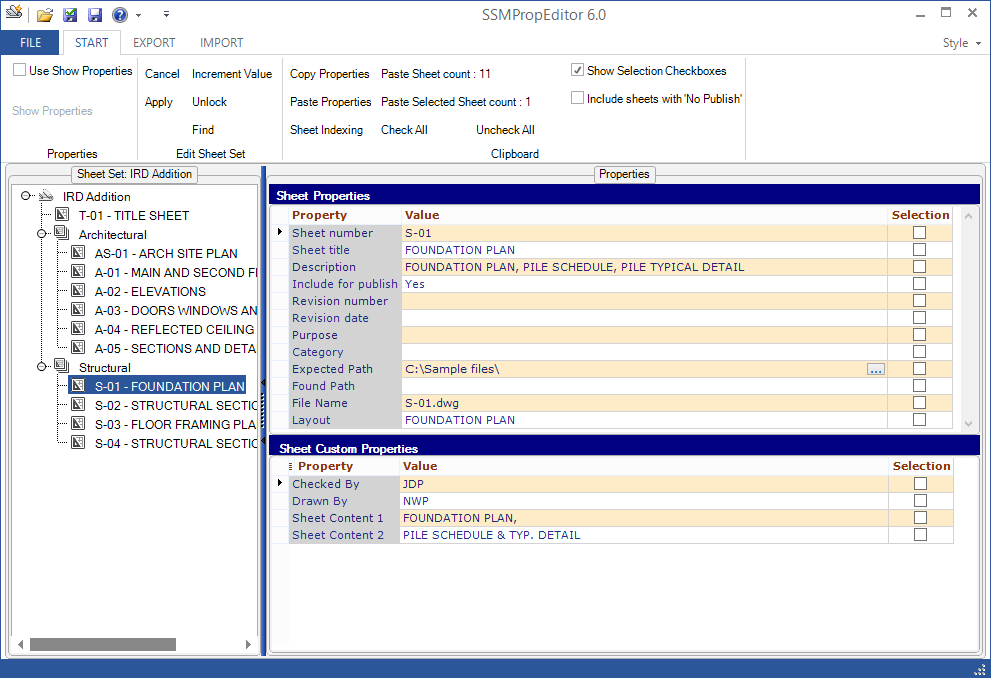
SSMPropEditor 6.0 available - Sheet Set Manager Editor

SSMPropEditor 6.0 is now available. This Sheet Set Manager Editor can save hours of work if your company uses AutoCAD’s Sheet Set Manager. Use Find and Replace of text among all properties and all sheets or change properties on multiple sheets at the same time. If you want to make changes in Excel, that can be done too. Copy custom properties that are defined in one Sheet Set into another Sheet Set. All you need to speed up your work with the Sheet Set Manager.

For details on this release see the revision history.

The installer for SSMPropEditor as an app within AutoCAD will be available later this month.

Download is available here and works in trial mode for 30 days. Existing customers can upgrade for free.

More from JTB World: Create new Sheet Sets including drawings based on an Excel template with out JTB Sheet Set Creator.

Monday, November 30, 2015

AutoCAD 2016 for Mac and AutoCAD LT 2016 for Mac

AutoCAD 2016 for Mac and AutoCAD LT 2016 for Mac were released November 21, 2015 and here are the news:

  • Xref path management – You can now map Xref file paths from your Mac to Windows machines, including networked servers, so sharing drawings back-and-forth between project team members is now easier.
  • Express Tools – We’ve brought over several of the popular Express Tools from Windows to Mac, so you get the efficiency gains from Express Tools on your Mac and experience less friction when switching between platforms.
  • Features from the Windows version of AutoCAD 2016 – This release includes many of the newest features from the Windows version. You can now use Revision Clouds, DIM Command Enhancements, Command Preview, and Selection Effects on the Mac platform.
  • Properties Palette – You can now display the Properties you use most often without having to scroll through the entire properties list.
  • Multi-Lingual User Interface (MUI) – Set your language (French or English) in the Mac System Preferences and AutoCAD will follow. There’s now no need for a separate install.
  • Update Notification – Updates are now delivered as small packages that don’t require lengthy downloads or install times.
  • Smaller PDFs with select-and-search capability – PDF output file-size is now greatly reduced, making it easier to share and open. Text in your PDFs is now selectable and searchable.
  • Pan and Zoom – Navigating your drawings is now easier because we’ve sped up and smoothed out panning and zooming.
  • TrueType font enhancements – All TrueType font text is retained in the drawing, so panning and zooming performance is considerably improved.

More about AutoCAD for Mac.

Friday, November 27, 2015

jtbworld.com is now mobile-friendly

After some work on our main website jtbworld.com it is now mobile-friendly as well having a responsive design that is adapting to the size of the web browser you use.

If you still find any issues on the site please let us know.

Monday, November 16, 2015

ACA_db 4.1 released - for AutoCAD Architecture and MEP

With ACA_db you can use AutoCAD Architecture or AutoCAD MEP even more as part of your BIM process. Property Set values can automatically be updated back and forth to one or many external databases. If you make changes to the Extended Data values within a Property Set they can be synchronized back to the external database. Any Property in a Property Set Definition can be exported and all editable Properties can be imported.

This release adds support for AutoCAD Architecture 2016 or AutoCAD MEP 2016 as well as some bug fixes.

Synchronization between database and CAD

Contact us to get a time limited license file for free.

Some of the latest blog posts

Subscribe to RSS headline updates from:
Powered by FeedBurner

Contact Us | About JTB World | Website General Terms of Use | Privacy Policy
^ Top of page

© 2004- JTB World. All rights reserved.