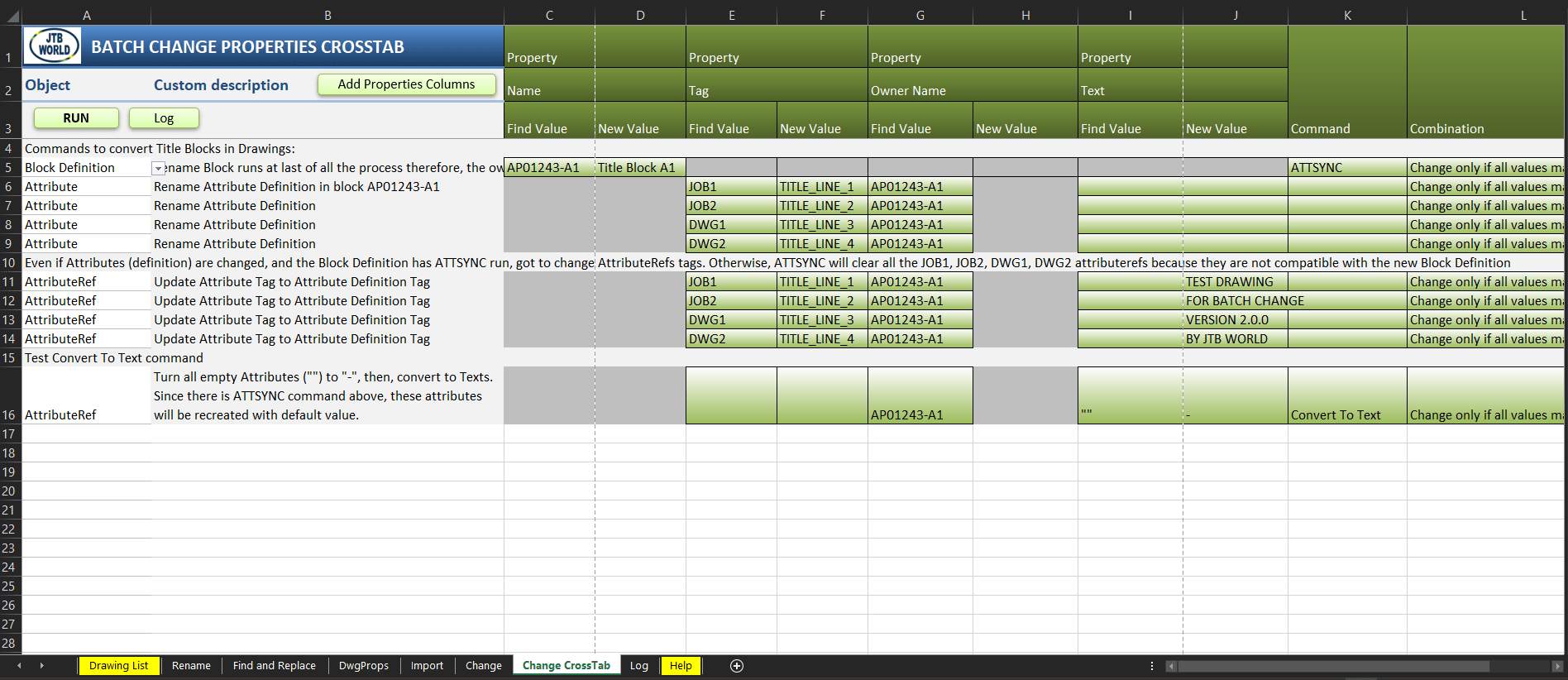
With JTB Batch Change a lot of different batch tasks can be done to help your work in AutoCAD. How about update block definitions on thousands of drawings? Or correct layer names or settings on all your project’s drawings? This can be done and much more.
With JTB CAD Automation Tools multiple drawings can be automatically created from a typical drawing or updated based on a control file that can be created with an Excel template. Make the changes in Excel and let the program do all the work for you. This is a real time saver if you need to make adjustments on hundreds or thousands of drawings.
What CAD automation do you want? Add a stamp block; insert a title block; update text or attributes in the title block; insert text, block or xref; change text or attribute values and more. Change all external references (xrefs) from absolute paths to relative paths for archive purpose. Find and replace attribute or text values.
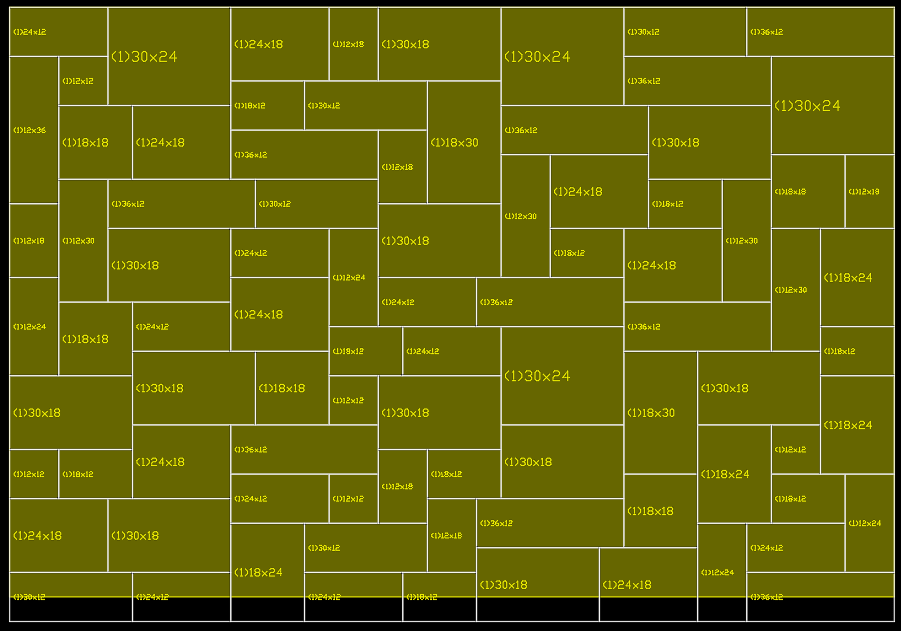
AutoGen has been used by customers creating instrumentation drawings, loop diagrams (loop drawings), schematics in an automated way based on data in a spreadsheet.
JTB FlexReport 11.5.1 is now ready. There are some bug fixes, especially if you already have upgraded or installed version 11.5. See the version history for details.
Trial is available if you want to give it a try.
If your maintenance has expired you can try the new version for a few weeks, if you want to keep using it contact us to renew the maintenance. The upgrade is free of charge for customers with active maintenance.
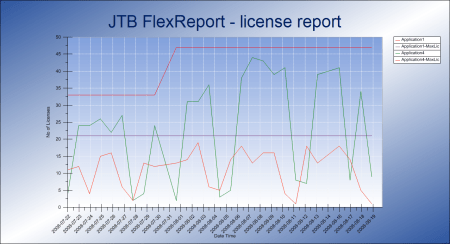
What is JTB FlexReport? JTB FlexReport is a license usage report tool for applications licensed using network license systems like FlexNet, IBM LUM, DSLS, SPLM, Sentinel, LM-X, RLM among others. Track usage over time, hours used and much more.
If you have FlexNet licenses check out our JTB FlexReport LT freeware. App for AutoCAD available.
JTB FlexReport 11.5 is now ready. There are some new features and several bug fixes. See the version history for details.
Trial is available if you want to give it a try.
If your maintenance has expired you can try the new version for a few weeks, if you want to keep using it contact us to renew the maintenance. The upgrade is free of charge for customers with active maintenance.
What is JTB FlexReport? JTB FlexReport is a license usage report tool for applications licensed using network license systems like FlexNet, IBM LUM, DSLS, SPLM, Sentinel, LM-X, RLM among others. Track usage over time, hours used and much more.
If you have FlexNet licenses check out our JTB FlexReport LT freeware. App for AutoCAD available.
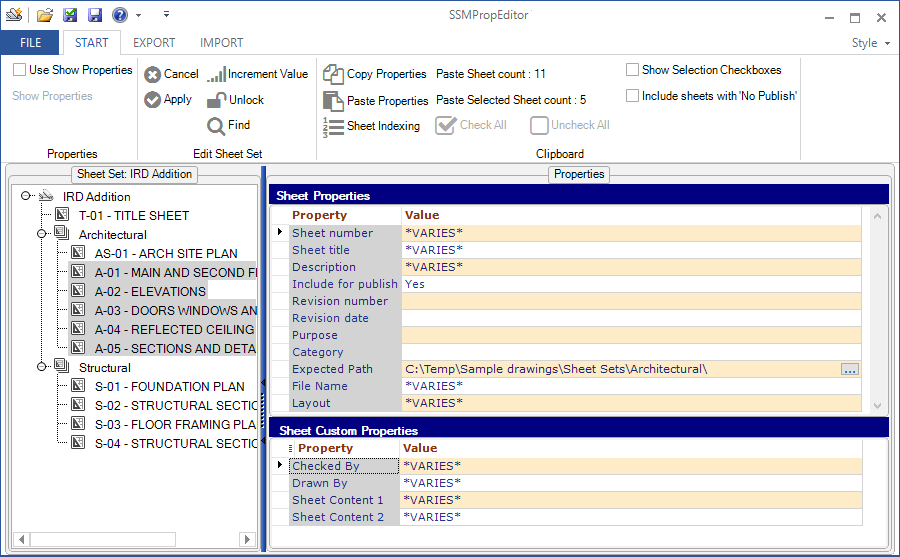
Your best app as a Sheet Set user, SSMPropEditor, has been improved and got some new features and bug fixes. How about drag and drop to relocate sheets and subsets?
For details on this release and previous releases see the revision history.
You find the download here. If you purchased on or after November 1, 2017 the upgrade is free of charge. Trial for 30 days is available.
Edit properties on multiple sheets belonging to Sheet Set Manager (SSM) for AutoCAD, GstarCAD and BricsCAD, NanoCAD Plus/Pro or AutoCAD Architecture's Project Navigator (PN) Sheet Set View with ease. If you want to change properties like a revision, date or name on two or more sheets at the same time SSMPropEditor is for you. Your productivity will increase and you will save time avoiding a lot of manual work.
Sheet Set Properties, Sheet Set Custom Properties, Sheet Properties and Sheet Custom Properties can be edited and batch updated either directly within the app or by exporting to Excel, make edits and import back.
Several apps by JTB World have been updated recently.
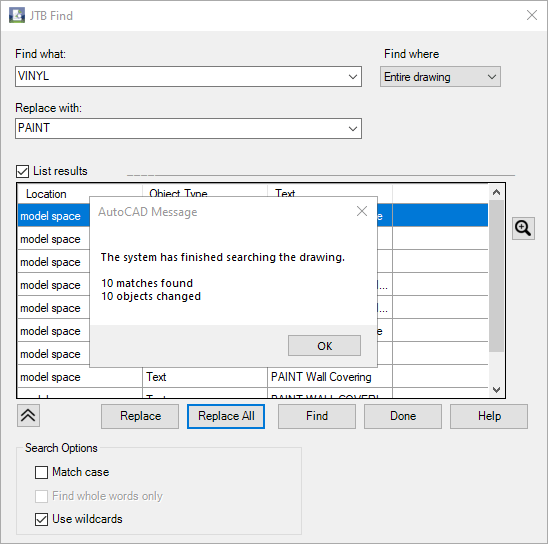
2019-08-19 JTB Find 1.0.1 released, finally users of AutoCAD Architecture (ACA) based products including MEP, Map 3D and Civil 3D can find and replace text in the Extended Data tab in Properties, specifically for Property Sets and their Property Definition values (PSD).
As part of Autodesk’s ongoing efforts to provide the best security possible to our customers, we are releasing these updates to remediate multiple vulnerabilities discovered through testing and research by software security experts. These critical updates should be applied by all customers.
This update for Autodesk Licensing Service is available for all the platforms - Windows, Mac and Linux. The update includes defect fixes related to install, launch, security and resiliency of Autodesk Licensing Service and its installer. For more details, please refer to the Improvements and Defects section below. This is a cumulative update and contains all the changes from the updates previously released. Autodesk strongly recommends installing the latest available version of the Autodesk Licensing Service for better reliability and performance
Worth updating? Take a look at below from the release notes.
The AutoCAD 2020.1 Update contains the previously released block performance hotfix for AutoCAD 2020.
After applying this patch, the Product Version in the About box will be listed as Q.70.0.0 AutoCAD 2020.1. For specialized toolsets, Autodesk Civil 3D or Autodesk Advance Steel, the Built On version will be listed as Q.70.0.0 AutoCAD 2020.1.
Here’s a summary of the new features and enhancements provided in this Update.
Blocks Palette
Drag and drop actions now apply the settings for Scale and Rotation
The display of thumbnail images is improved
Tooltips can now be suppressed with the TOOLTIP system variable
Text on Layer
Sets a default layer for text and multiline text objects with the TEXTLAYER system variable.
Standards for Multileaders
Extends the Standards feature to support multileader styles.
Security
The SECUREREMOTEACCESS system variable has been expanded to control whether ObjectARX programs are restricted from uploading to internet locations or remote servers.
3D Translators
The translators used for importing several external 3D formats have been updated. These include Creo and Granite, SolidEdge, NX, Parasolid, JT, and Rhino.
Problems Reported Through the Customer Error Reporting Utility
As a result of the detailed information that we received from customers who used the Customer Error Reporting Utility, we were able to identify and fix several defects including the following:
Blocks
Occasional crashes when using the BLOCKNAVIGATE system variable to specify paths and file names for blocks and drawings.
Occasional crashes when inserting DXF files from the Blocks palette.
Occasional crashes when using WBLOCK and selecting a field in some drawings.
Occasional crashes when launching AutoCAD if the Blocks palette displays a corrupted drawing in the Other Drawing tab.
Plot and print PDF
Occasional crashes when plotting to a PDF file when an included font name is more than 31 characters long.
General
Occasional crashes when changing the visual style in the Model Documentation mode.
Occasional crashes when grip editing multiple objects.
Occasional crashes when opening drawings that contain corrupted linetypes.
Occasional crashes when opening certain drawings and then switching from model to a paper space layout.
Occasional crashes when opening DXF files that do not include any layouts.
Occasional crashes when with the SHAREVIEW command for drawings containing zero-length objects.
Occasional crashes when switching to different layouts in drawings that contain geographic location information.
General Update Content
The following defects have been fixed:
Dimension
A preview might not display in the Dimension Style dialog box for the Annotative dimension style.
Display
The objects might not display after editing a block and switching from paper space to model space.
Performance
Opening some drawings takes longer than in previous versions.
Plotting some drawings to PDF is slower than expected.
Quick Measure
Quick Measure does not support rotated UCS orientations even when the XY plane of the UCS is parallel to the XY plane of the WCS.
Quick Measure doesn't work on some AutoCAD Mechanical custom objects.
Quick Measure results are partly hidden if the current layer is turned off.
Share View
With the SHAREVIEW command, drawings can be clipped incorrectly on the right side.
Underlays
External references cannot be detached when inserted multiple times.
PDF and DWF files might not display in the block editor.
General
The results might be incorrect when using PASTESPEC to insert a table.
Changes to the Default Scale List in the Options dialog box, User Preferences tab, aren't retained.
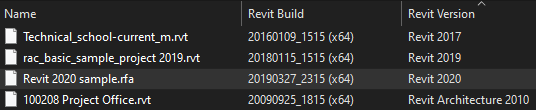
RVT Columns for Explorer has been updated to handle Revit 2020 files. With this app you can see the Revit Build and Revit Version on RTE, RVT, RFA and RFT files in Explorer as well as any products that shows Revit files in dialog boxes like Revit’s Open file dialog box.
JTB BatchAttEdit 3.1 has been released. Here are the news and fixes since version 3.0:
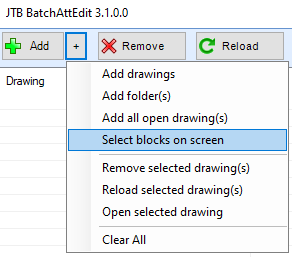
Under the [Add][+] menu, new "Select blocks on screen" option is added for you to edit a selection, rather than the whole drawing.
Installing unattended via command line and activate a network license server can now be done
Fixed a critical bug in loading the spreadsheet
Solved an issue in the network license
Fixed a bug in progression bar
Fixed a bug in Block Name Wildcards
Fixed bugs that hotkeys on the spreadsheet didn't work in BricsCAD
Fixed a bug in BricsCAD's multiline attribute
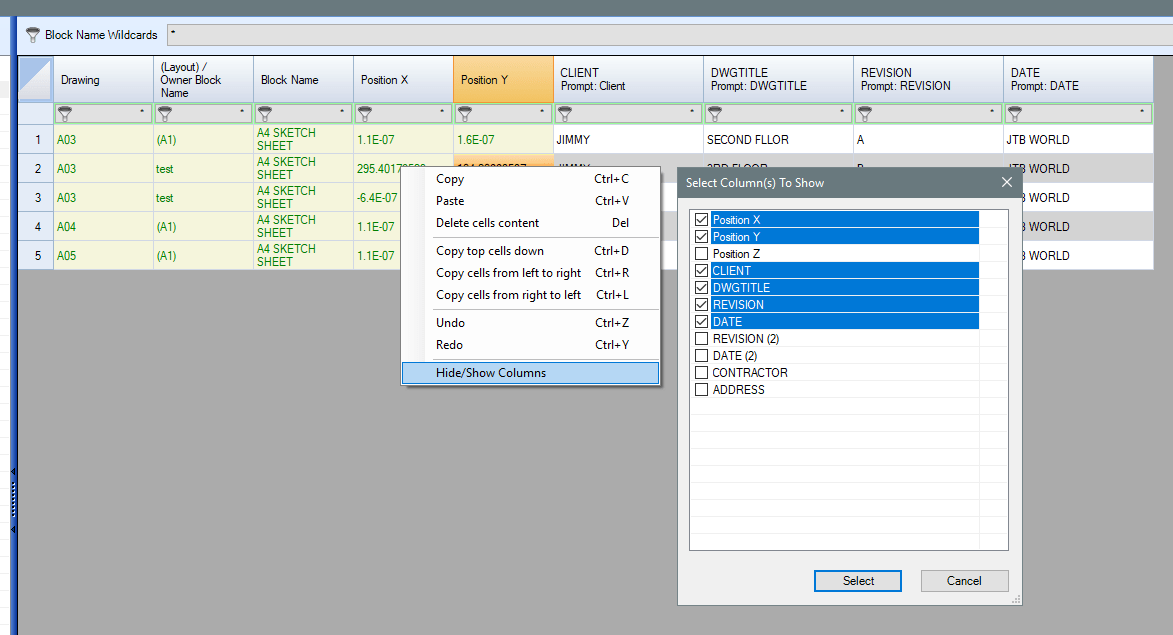
This batch attribute editor app for AutoCAD and BricsCAD collects attributes in all blocks of specified name patterns in multiple drawings and display in a wide spreadsheet. Then you can edit attribute texts as easy as working with Excel. Once done, click "Apply Attribute Changes" to update values to drawings.
This makes it a great app to for example edit title block attributes across many drawings instead of having to do it one drawing at a time. How do you edit all title block data?
If you want to export the attributes to Excel use the "Export - Import" button. Optionally you can make modifications in Excel for example with help of functions and formulas and then import back.
Try it for free by downloading from JTB BatchAttEdit. Existing customers just need to download and install this update.
For more of JTB World’s software that you might find useful visit our software list and our apps available on Autodesk App Store. We also offer custom programming services and can help you with both small and large projects where we specialize on the AutoCAD, Revit and BricsCAD platforms.
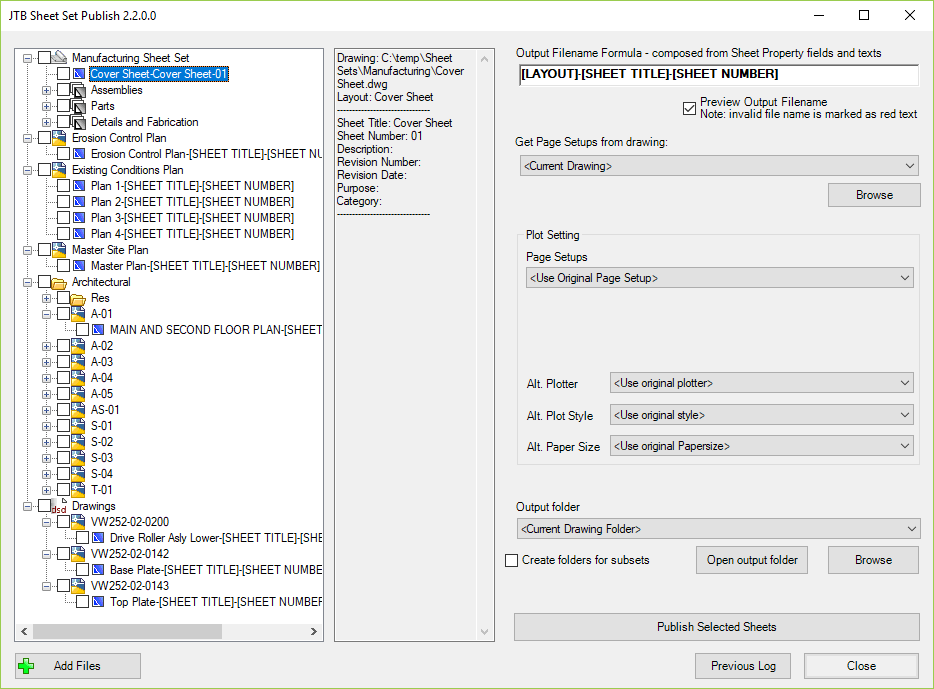
Sheet Set Publish output folder is defaulted to if available.
App installation folder changed to be in C:\ProgramData\Autodesk\ApplicationPlugins.
Unattended installation and configuration of network license server made possible.
JTB Sheet Set Publish is an app for AutoCAD that publishes sheets in Sheet Sets, layouts in other drawings, folders or drawings in DSD files to files like PDF and DWF or images like PNG. The files created are named as you want based on a naming formula that you specify. Use date fields and/or sheet properties of your choice to build up the output filename.
With our new app JTB Find you can find and replace text in Property Sets and their Property Definition values (PSD).
JTB Find is an app for AutoCAD Architecture (ACA) based products including MEP, Map 3D and Civil 3D. If you want to try it we have a free trial available.
Do you need any custom development for AutoCAD verticals/toolsets like AutoCAD Architecture, AutoCAD MEP, AutoCAD Map3D and AutoCAD Civil 3D we can help with that too.