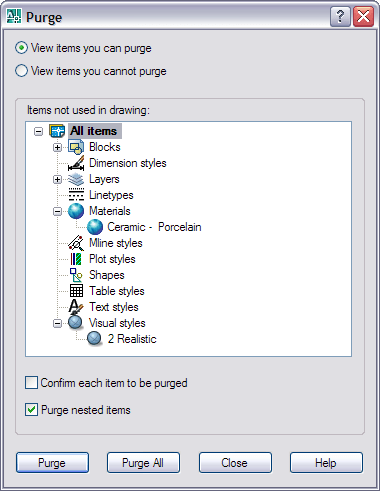
The purge (and -purge) command now also purges materials and visual styles not used in the drawing.
Command: -PURGE Enter type of unused objects to purge [Blocks/Dimstyles/LAyers/LTypes/MAterials/Plotstyles/SHapes/ textSTyles/Mlinestyles/Tablestyles/Visualstyles/Regapps/All]:
Starting AutoCAD with the command line switch /w designates which workspace in the loaded CUI files should be restored on startup. A welcome feature that we really missed in AutoCAD 2006 when workspaces where introduced.
* JTB World's SmartPurger will be updated to work fully with AutoCAD 2007 *


No comments:
Post a Comment