Tuesday, December 13, 2022

JTB ACA Tools for AutoCAD Architecture based toolsets

JTB ACA Tools comes with editing Tools for Property Sets, Classifications and List Definitions for AutoCAD Architecture (ACA) based products including MEP, Map 3D and Civil 3D.

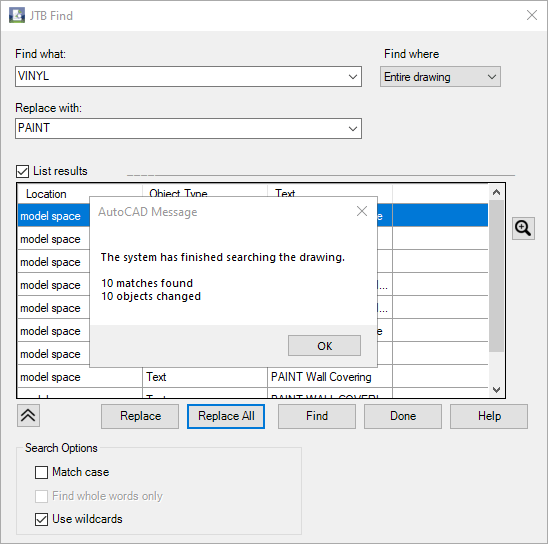
With JTB Find, you are able to find and replace text in Extended Data tab in Properties, specifically for Property Sets and their Property Definition values.
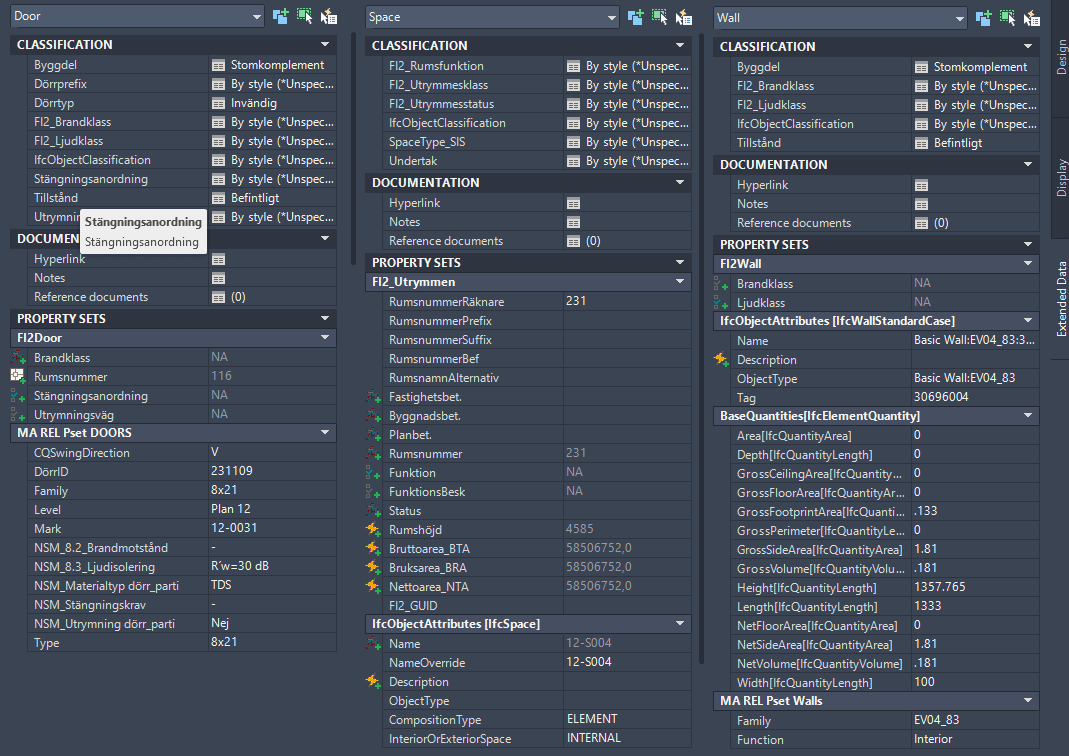
With JTB PropsClassMapping, you are able to change Property Set values, Classification values of SPACE, WALL and DOOR according to the values of their other Property Set.
With ClassificationDefinition tools, you can import export AutoCAD Architecture Classification Definitions, avoid the need to type everything manually.

With ADTListDefinition tools, you can import, create and export ListDefinitions quick and easy.

JTB ACA Tools provides some useful lisp functions for AutoLISP programmers to modify property set and/or classification properties.

Free trial of JTB ACA Tools is available.

Monday, December 12, 2022

JTB FixRefs for BricsCAD

JTB FixRefs is now working on BricsCAD as well as previously supported AutoCAD.

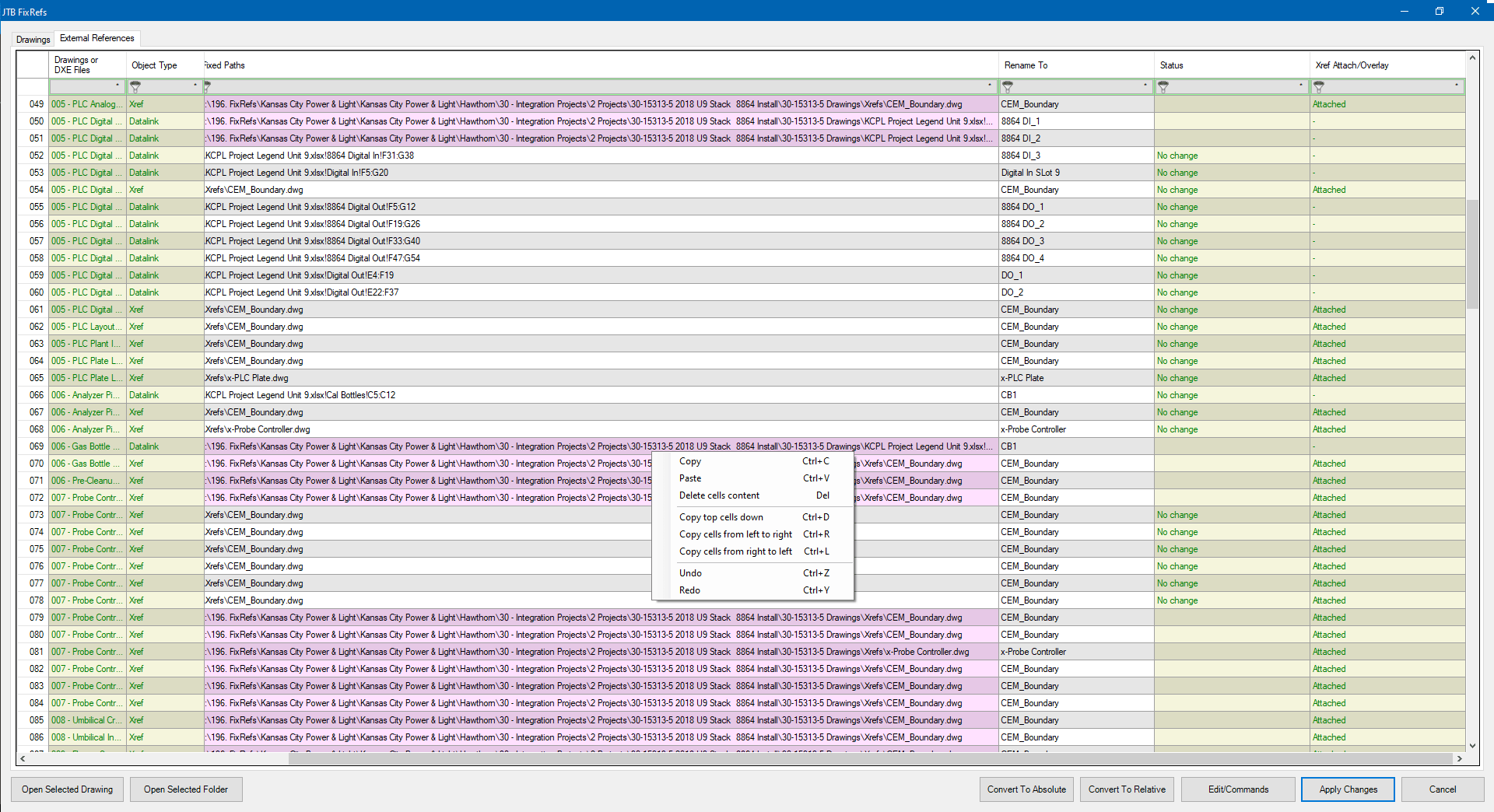
Select drawings, or all drawings in a folder and/or subfolders. A spreadsheet will bring up and list all your reference files in all your drawings, including Xrefs, Datalinks, Raster Images, PDFs, DWFs, and DGNs.

Click for larger image 

  • Convert file paths from absolute paths to relative paths and vice versa.
  • Rename the reference objects.
  • Detach, Unload, Reload. 
  • Bind xrefs. 
  • Option to retain date modified after saving.

Give JTB FixRefs a try.

Thursday, November 17, 2022

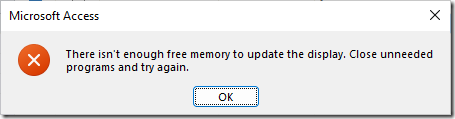
Solution for Access error: There isn't enough free memory to update the display

I've got this error in Microsoft Access. There isn't enough free memory to update the display. Close unneeded programs and try again.

image

It happens to me when Access is opened with a custom form and accessing the computer with Microsoft Remote Desktop Android app.

I found that deleting this VBA key in the registry solved it. After a Windows or Office update I had to delete it again.

HKEY_CURRENT_USER\Software\Microsoft\VBA

Wednesday, August 17, 2022

JTB Excel2TextField 2.0.0 link Excel to AutoCAD

JTB Excel2TextField 2.0.0 is released and now allow you to easily update references that been moved or renamed.

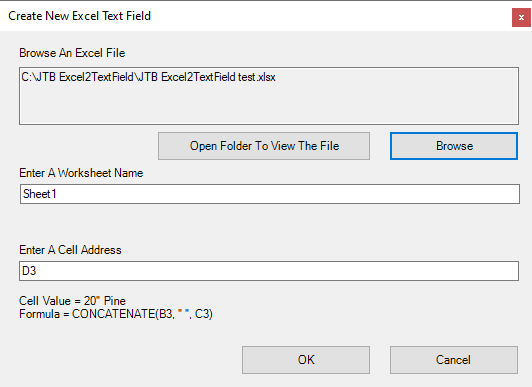
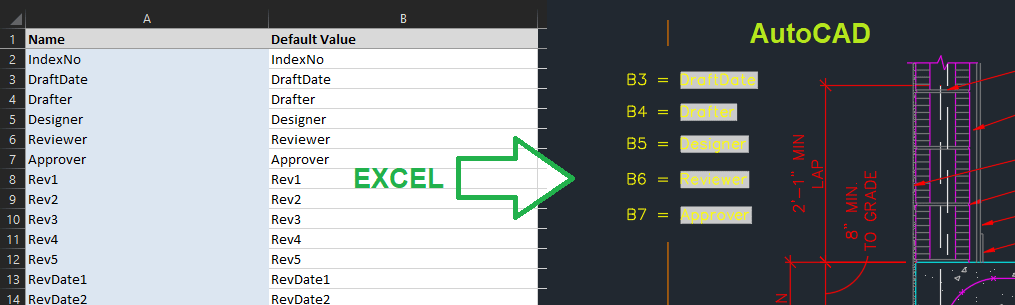
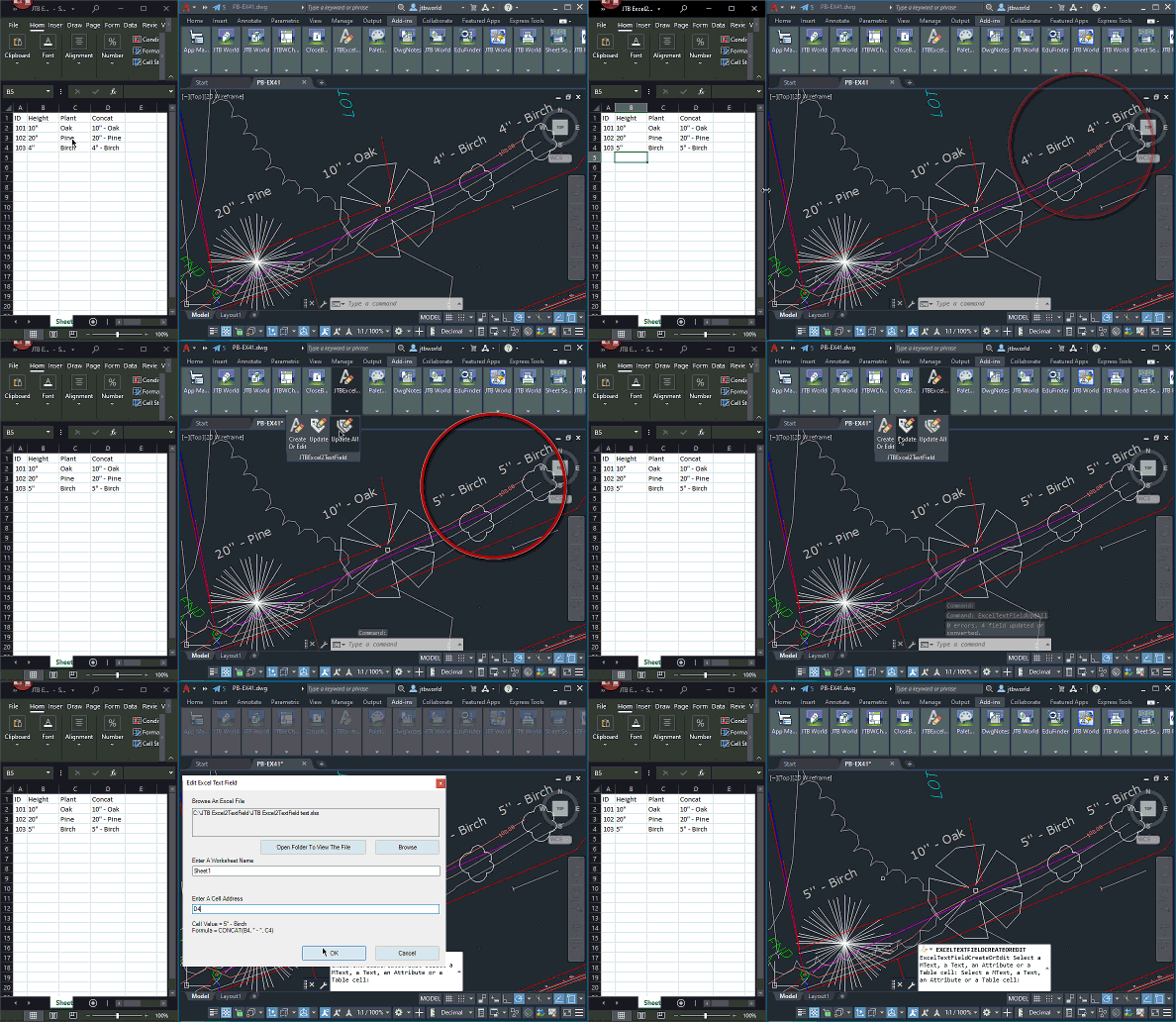
The app lets you connect fields in AutoCAD to Excel cell values. You can have Excel as the main source and when it is updated your drawings will be updated too. You can place fields in texts, mtexts, tables and/or block attributes.

Have your Excel updates to reflect in the drawing.

Animation of usage below by clicking on the image.

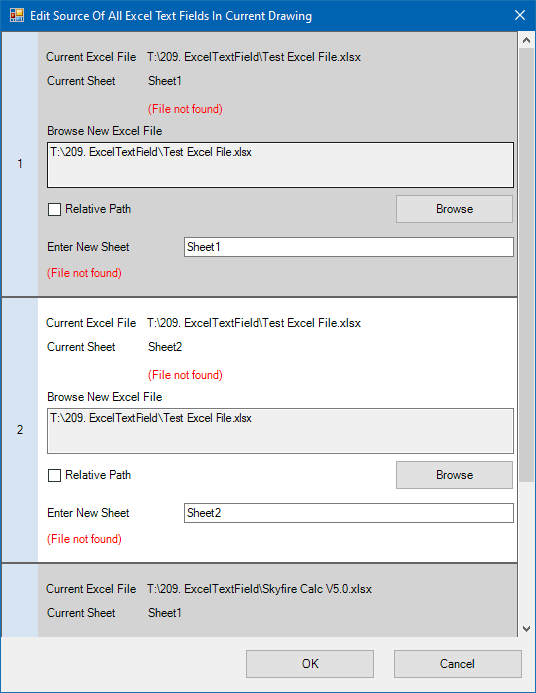
The FixExcelTextFields command will collect all source excel files and source worksheets, then show them all in an edit window. Useful if locations or names been changed.

Free trial at JTB Excel2TextField.

Tuesday, June 21, 2022

JTB FlexReport 2022.6.0 released - report usage on your expensive licenses

JTB FlexReport 2022.6.0 is now ready.

SQL Server related performance improvements and JTB Process Monitor Client performance improvements are the most important news.

See the version history for all details.

Trial is available if you want to give it a try.

If your maintenance has expired you can try the new version for a few weeks, if you want to keep using it contact us to renew the maintenance. The upgrade is free of charge for customers with active maintenance.

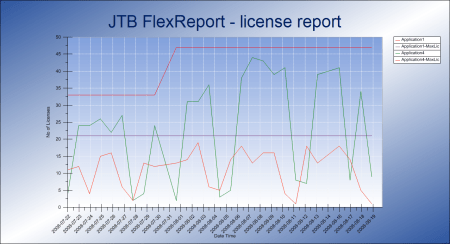
What is JTB FlexReport? JTB FlexReport is a license usage report tool for applications licensed using network license systems like FlexNet (FlexNet), IBM LUM, DSLS, SPLM, Sentinel, LM-X, RLM, EPLAN (ELM), HASP, DPT, Tebis, CodeMeter among others. Track usage over time, hours used and much more. With JTB Process Monitor much more can be monitored like Bentley MicroStation, Autodesk Named User licenses and Autodesk Flex.

If you have FlexNet licenses check out our JTB FlexReport LT freeware. App for AutoCAD available.

Autodesk user? See these posts:

You may still find use for JTB FlexReport together with JTB Process Monitor. We can help analyze your historic usage so you can prepare for the switch.

Wednesday, April 20, 2022

JTB FlexReport 2022.4.0 released - FlexNet monitoring and more

JTB FlexReport 2022.4.0 is now ready.

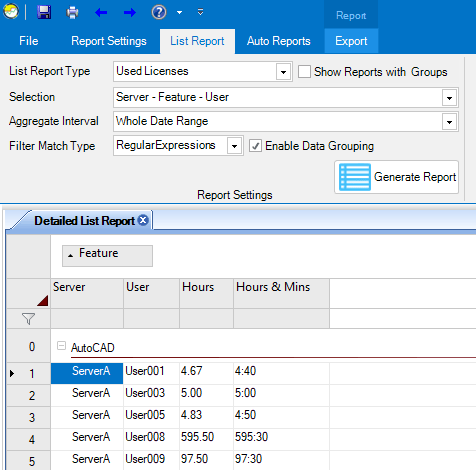
Try filter and data grouping in the list reports.

See the version history for all details.

Trial is available if you want to give it a try.

If your maintenance has expired you can try the new version for a few weeks, if you want to keep using it contact us to renew the maintenance. The upgrade is free of charge for customers with active maintenance.

What is JTB FlexReport? JTB FlexReport is a license usage report tool for applications licensed using network license systems like FlexNet (FlexNet), IBM LUM, DSLS, SPLM, Sentinel, LM-X, RLM, EPLAN (ELM), HASP, DPT, Tebis, CodeMeter among others. Track usage over time, hours used and much more. With JTB Process Monitor much more can be monitored like Bentley MicroStation, Autodesk Named User licenses and Autodesk Flex.

If you have FlexNet licenses check out our JTB FlexReport LT freeware. App for AutoCAD available.

Autodesk user? See these posts:

You may still find use for JTB FlexReport together with JTB Process Monitor. We can help analyze your historic usage so you can prepare for the switch.

Thursday, October 28, 2021

Autodesk Network License Manager update needed for Autodesk 2020 and 2021

Autodesk Customers with Multi-user subscription or Token-flex implementation using Autodesk Network License Manager (NLM) are required to upgrade the Network License Manager to the latest version v11.18.x to support Autodesk 2020 and newer version products on and after April 1st, 2022. ref

To report on Autodesk Network License Manager, Named User or Autodesk Flex usage try our JTB FlexReport.

Tuesday, October 26, 2021

JTB Excel2TextField links Excel cell to AutoCAD field

JTB Excel2TextField lets you connect fields in AutoCAD to Excel cell values. You can have Excel as the main source and when it is updated your drawings will be updated too. You can place fields in texts, mtexts, tables and/or block attributes.

Have your Excel updates to reflect in the drawing.

Animation of usage below by coding on the image.

Free trial at JTB Excel2TextField.

Thursday, October 21, 2021

JTB FlexReport 2021.10.0 released - monitor expensive license usage

JTB FlexReport 2021.10.0 is now ready.

We have added and fixed a lot of things in this release. New monitoring options and new reports. Better performance. Works with Windows 11 and Windows Server 2022.

See the version history for all details.

Trial is available if you want to give it a try.

If your maintenance has expired you can try the new version for a few weeks, if you want to keep using it contact us to renew the maintenance. The upgrade is free of charge for customers with active maintenance.

What is JTB FlexReport? JTB FlexReport is a license usage report tool for applications licensed using network license systems like FlexNet (FlexNet), IBM LUM, DSLS, SPLM, Sentinel, LM-X, RLM, EPLAN (ELM), HASP, DPT, Tebis, CodeMeter among others. Track usage over time, hours used and much more. With JTB Process Monitor much more can be monitored like Bentley MicroStation, Autodesk Named User licenses and Autodesk Flex.

If you have FlexNet licenses check out our JTB FlexReport LT freeware. App for AutoCAD available.

Autodesk user? See these posts:

You may still find use for JTB FlexReport together with JTB Process Monitor. We can help analyze your historic usage so you can prepare for the switch.

Wednesday, October 6, 2021

Change attribute order of block in many CAD drawings

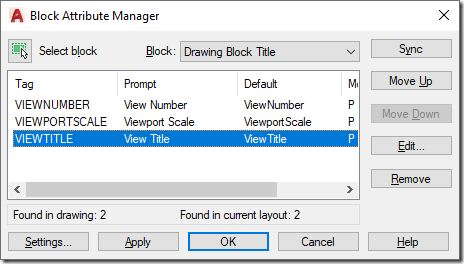
To change attribute tag order in one drawing use BATTORDER (AutoCAD) or BATTMAN (AutoCAD and BricsCAD). With it you can update the block definition of the block.

battman


Then wblock out the block to a separate DWG file. In the example below it us C:\temp\TITLEBLOCK.dwg

In below example the block is named TITLEBLOCK so you will need to modify the name and path (separate folders with double backslashes). Save the AutoLISP code to an LSP file.

; redefine block with or without attributes from an external DWG block

(setq blockname " TITLEBLOCK")

(setq fullpath "C:\\temp\\TITLEBLOCK.dwg")

(if (tblsearch "block" blockname)

  (progn

    (command "_.-insert" (strcat blockname "=" fullpath) "_Y")

    (command)

    (command "_.attsync" "_N" blockname)

  )

)

Then you can use JTB SmartBatch to update all drawings with this LSP. Specify the use of the LSP in JTB SmartBatch Settings > Script/lisp file. Now add all drawings to be updated and you’ll have all title blocks or other blocks of your choice updated.

Monday, October 4, 2021

JTB FlexReport can monitor Autodesk Flex

Autodesk Flex is a new option to pay as you go for occasional product use. While you can get some usage reports from Autodesk they are limited.

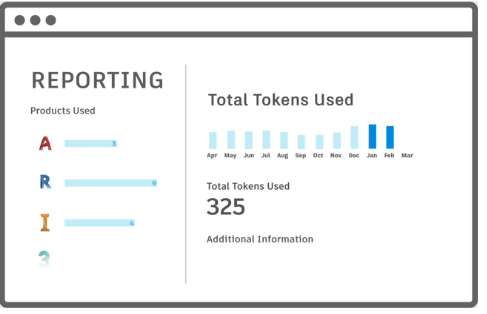
Tokens

When a user opens and signs into an Autodesk product included with Flex, they will be charged a daily rate per product once every 24 hours.

For example, a user opens and signs into AutoCAD from 8am-9am will be charged 7 tokens, same as a user using it the whole day. Even just starting and closing AutoCAD will cause a charge if 7 tokens (around $21). Revit will take 10 tokens.

With JTB FlexReport and JTB Process Monitor you can get additional valuable reports to identify users that just use a product a short time per day. You can get the total time the product has been running as well as the active time the user used the product. With this users using the products just a short time can be identified.

Contact us for a free trial or if you have any questions.

Monday, September 13, 2021

JTB BatchAttEdit 4.5.0 - Batch edit block attributes in BricsCAD or AutoCAD

JTB BatchAttEdit 4.5.0 has been released.

In this version we added a "Clone selected blocks" command and other improvements.

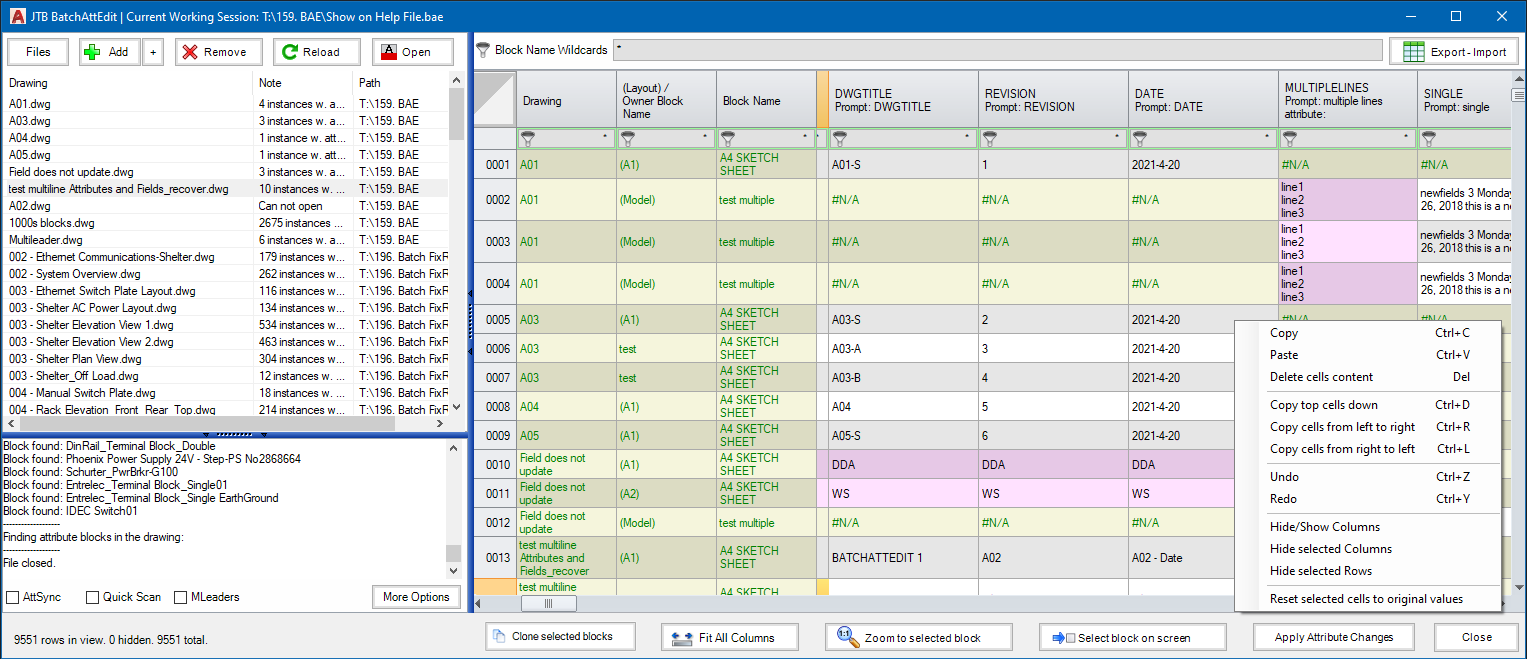
This batch attribute editor app for BricsCAD and AutoCAD gathers attributes in all blocks of specified name patterns in multiple drawings and display in a spreadsheet. You can edit attribute texts just like in Excel. When ready, click "Apply Attribute Changes" to update values to drawings.

JTB BatchAttEdit

This is a great app to edit title block attributes across many drawings instead of having to do it one drawing at a time. How do you edit all title block data?

Dynamic block properties can be edited too.

If you want to export the attributes to Excel use the "Export - Import" button. Optionally you can make modifications in Excel for example with help of functions and formulas and then import back.

Try it for free by downloading from JTB BatchAttEdit.

For more of JTB World’s software that you might find useful visit our software list and our apps available on Autodesk App Store. We also offer custom programming services and can help you with both small and large projects where we specialize on the AutoCAD, AutoCAD Architecture, Revit, BricsCAD, ZWCAD and other CAD platforms.

Thursday, September 9, 2021

Redefine blocks across many drawings with JTB Batch Change

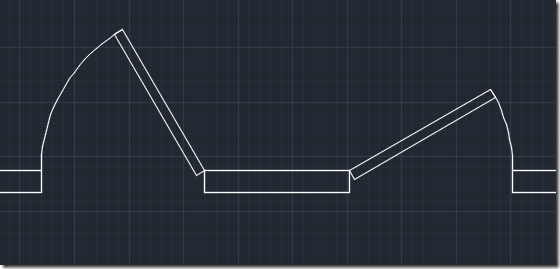
JTB Batch Change can simplify AutoCAD work like redefining blocks across many drawings.

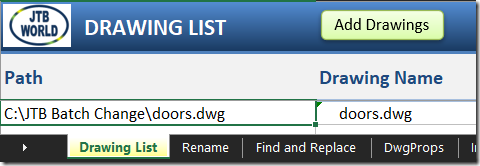
On the Drawing List tab in the Excel file that comes with JTB Batch Change add all drawings you want to have updated.

1


This is the drawing I want to update.

2


On the Import tab select Block Definition as a command to use and select source drawing where the new block definition exists.

3


This is the updated block I want to apply to my drawings.

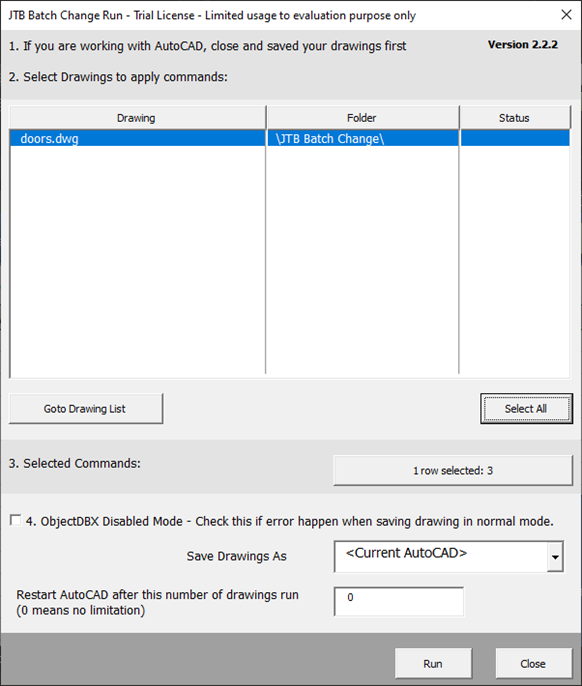
4


Select the row with the Import command and click on Run and select the drawings to update.

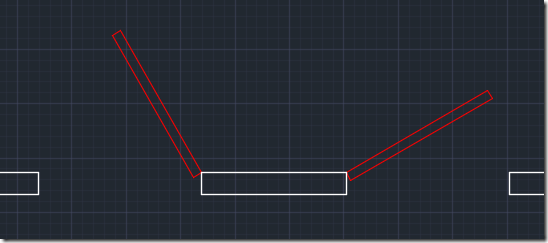
    5


Here is the result.

6


There is much more JTB Batch Change can do. Take a look at the webpage and try it yourself.

Tuesday, August 10, 2021

Example of usage of JTB FlexReport and JTB Process Monitor

JTB FlexReport and JTB Process Monitor have an open database making it possible for customers to create their own reports of app usage.

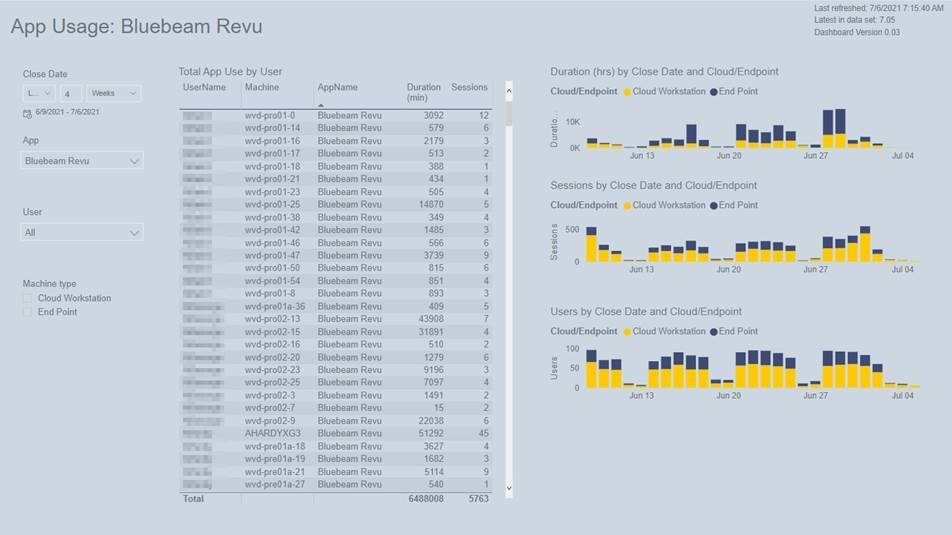
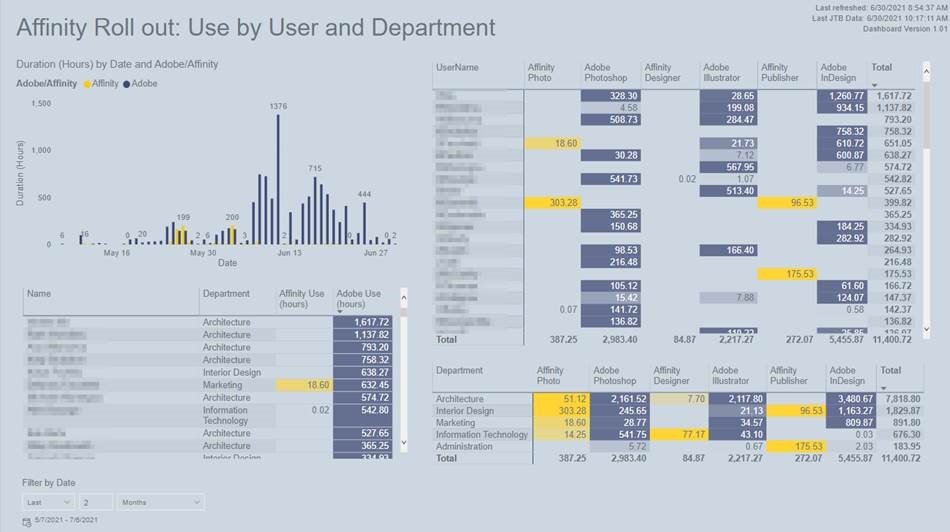
Jess Purcell at Shepley Bulfinch kindly shared her custom reports based on usage data tracked with JTB FlexReport and JTB Process Monitor:

“We’ve done a couple significant things. For one, we’re using it to track app usage on people local laptops versus on our virtual desktops to understand who is using things locally instead of virtually, and what apps are getting more use in each location.”

JTB FlexReport 1

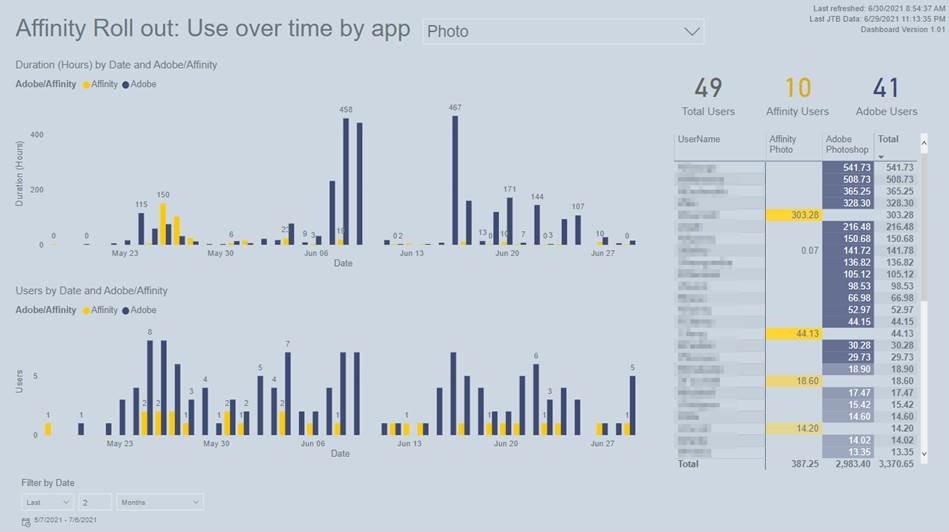
“And I’m going to start using it for our Affinity Suite rollout to track adoption and usage of Affinity over Adobe CS6. I’m able to see specific app usage times, and identify people who haven’t tried it, or are using it a lot and could share their experiences. I’m also able to compare directly between the relating Apps (Photo and Photoshop, Designer and Illustrator, etc)”

JTB FlexReport 2

“I built those dashboards in PowerBI, and I’m pulled some Deltek info in as well for department and if they are an active employee.”

JTB FlexReport 3

Free trial of JTB FlexReport and JTB Process Monitor is available.

Some of the latest blog posts

Subscribe to RSS headline updates from:
Powered by FeedBurner

Contact Us | About JTB World | Website General Terms of Use | Privacy Policy
^ Top of page

© 2004- JTB World. All rights reserved.